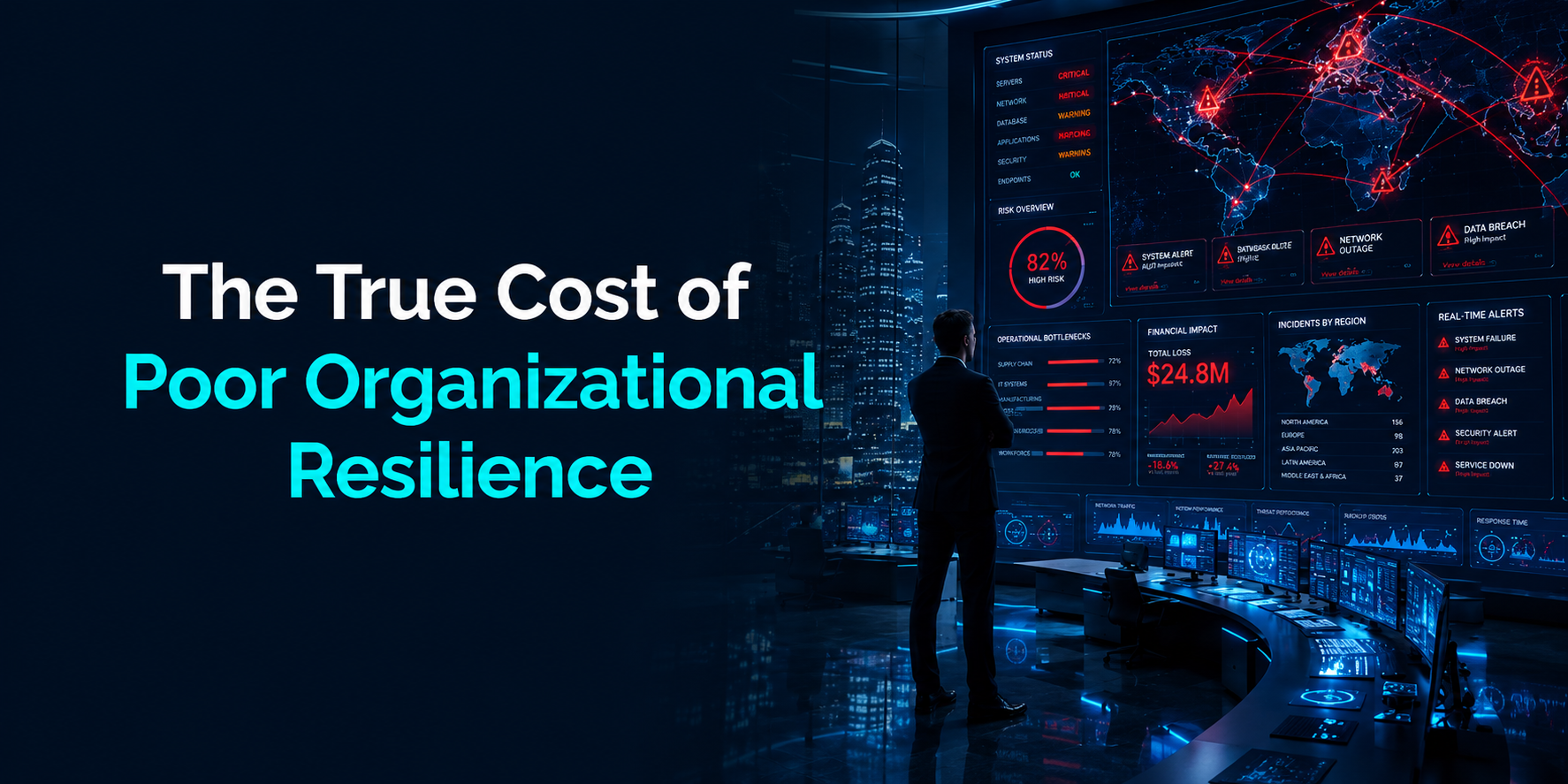
The True Cost of Poor Organizational Cloud Resilience

Cloud technology has changed the way businesses operate. Companies now depend on cloud platforms for communication, customer management, storage, payments, remote work, and daily operations. In cities like Dubai, where digital transformation is growing quickly across industries, cloud systems have become a critical part of business success.

However, many organizations focus only on moving to the cloud and forget one important factor: resilience.

Cloud resilience is the ability of a business to continue operating during disruptions, cyberattacks, outages, technical failures, or unexpected system issues. A resilient cloud environment helps companies recover quickly and reduce downtime.

When organizations ignore cloud resilience, the damage goes far beyond temporary technical problems. Poor resilience can lead to financial losses, reputation damage, customer dissatisfaction, legal risks, operational failures, and long-term business decline.

This article explains the true cost of poor organizational cloud resilience and why businesses in Dubai and across the UAE should treat resilience as a business priority instead of just an IT concern.

Understanding Organizational Cloud Resilience

Cloud resilience refers to the strength and stability of cloud systems during unexpected events. It ensures that applications, services, and data remain available even when problems occur.

A resilient organization can:

  • Continue operations during outages
  • Recover data quickly
  • Prevent long periods of downtime
  • Maintain customer trust
  • Reduce financial damage
  • Respond effectively to cyber threats
  • Protect business continuity

Cloud resilience includes several important areas:

  • Backup and disaster recovery
  • Multi-cloud or hybrid cloud strategies
  • Data redundancy
  • Cybersecurity protection
  • Infrastructure monitoring
  • Failover systems
  • Business continuity planning
  • Incident response management

Without these elements, businesses become vulnerable to disruptions that can severely impact operations.

Why Cloud Resilience Matters More Than Ever

Modern organizations rely heavily on digital systems. Even a short outage can interrupt sales, customer support, logistics, communication, and employee productivity.

Dubai has become a major technology and business hub. Many organizations in sectors such as finance, healthcare, retail, hospitality, logistics, real estate, and e-commerce are rapidly adopting cloud solutions, including platforms managed or optimized through iNTEL-CS.

At the same time, cyber threats, ransomware attacks, system failures, and data breaches are increasing globally. Businesses cannot afford to assume that outages will never happen.

Cloud resilience matters because:

  • Customers expect uninterrupted service
  • Online transactions happen continuously
  • Remote work depends on stable systems
  • Data protection regulations are becoming stricter
  • Downtime directly affects revenue
  • Competitors can quickly replace unreliable businesses

Organizations that fail to prepare for disruptions often discover the true cost only after serious damage has already occurred.

Financial Losses Caused by Poor Cloud Resilience

One of the biggest consequences of poor cloud resilience is financial loss. When cloud systems fail, organizations can lose money in several different ways. Some financial losses happen immediately during the outage, while others continue affecting the business long after systems are restored.

For companies that depend heavily on digital operations, even a short disruption can create serious financial pressure. The longer the downtime continues, the greater the overall business impact becomes.

Revenue Loss During Downtime

When cloud services become unavailable, daily business operations may stop completely. Organizations that rely on online systems often struggle to continue serving customers during outages.

For example:

  • E-commerce websites may stop processing customer orders
  • Payment gateways can fail during transactions
  • Customer support systems may become inaccessible
  • Internal business applications may stop working
  • Logistics and delivery tracking systems can face delays
  • Booking or reservation platforms may become unavailable

These disruptions directly affect revenue generation. Customers may leave websites without completing purchases, while businesses lose valuable sales opportunities.

For larger organizations using Cloud Computing Solutions, the cost of downtime can become extremely high. Depending on the industry, even a few hours of service interruption may result in thousands or millions of dollars in lost revenue.

Businesses that operate in highly competitive markets, including Dubai’s fast-growing digital economy, often face even greater financial pressure because customers expect continuous online access and fast service delivery.

Recovery Expenses

Recovering from a cloud failure is rarely simple or inexpensive. Many organizations underestimate how costly recovery processes can become after a major outage or cyber incident.

Businesses may need to spend money on:

  • Emergency IT support and consultants
  • Data restoration and backup recovery
  • Infrastructure replacement or repairs
  • Security investigations and forensic analysis
  • Legal and compliance requirements
  • Software upgrades and security improvements
  • Additional monitoring and protection tools

Unexpected recovery expenses can quickly affect business budgets and reduce profitability.

In some cases, organizations must temporarily pause growth projects or delay investments because recovery costs consume available financial resources.

If the outage involves cybersecurity incidents such as ransomware or data breaches, expenses may increase even further due to legal penalties, customer compensation, and regulatory investigations.

Productivity Loss

Poor cloud resilience also creates major productivity problems across the organization. When employees cannot access cloud-based systems, they may be unable to complete important tasks or communicate effectively with teams and customers.

Employees may lose access to:

  • Business files and documents
  • Communication and collaboration tools
  • Customer management systems
  • Financial applications
  • Inventory management platforms
  • Reporting dashboards
  • Operational monitoring systems

As a result, projects slow down, deadlines get delayed, and operational efficiency decreases. For organizations with large workforces, downtime can lead to thousands of lost productive hours. Employees may remain inactive while IT teams work to restore systems and services.

Remote and hybrid work environments are especially vulnerable because employees depend heavily on cloud platforms for daily communication and collaboration.

Long-Term Financial Impact

The financial impact of poor cloud resilience does not always end after systems recover.

Many organizations continue experiencing long-term business damage that affects profitability and growth over time.

Long-term financial consequences may include:

  • Reduced customer retention
  • Declining customer trust
  • Lower investor confidence
  • Increased operational costs
  • Delayed business expansion
  • Reduced market competitiveness
  • Damage to brand reputation

Customers who experience repeated outages may decide to switch to competitors that provide more reliable services. At the same time, investors and business partners may begin questioning the organization’s operational stability and risk management capabilities.

Over time, poor resilience can weaken a company’s financial position, limit growth opportunities, and reduce long-term business sustainability.

Damage to Business Reputation

Business reputation is one of the most valuable assets an organization can have. In today’s digital environment, customers expect companies to provide stable, secure, and reliable online experiences at all times.

When cloud systems experience repeated outages or performance issues, customer trust begins to decline. Even small disruptions can create frustration, especially when customers depend on digital platforms for purchases, communication, payments, or support services.

In competitive markets like Dubai, customers usually have many alternative options available. If a business becomes known for unreliable services, customers may quickly move to competitors that offer better digital experiences.

Organizations that experience ongoing cloud disruptions may face several reputation-related problems, including:

  • Customers switching to competitors
  • Negative online reviews and ratings
  • Public complaints on social media
  • Reduced customer confidence
  • Lower customer recommendations
  • Declining brand trust

Reputation damage can spread very quickly online. A single outage may lead to hundreds of public complaints within hours, especially for businesses that serve large customer bases.

Once trust is damaged, rebuilding a positive reputation often takes significant time, effort, and financial investment.

Public Perception After Data Breaches

Poor cloud resilience can also increase the risk of cybersecurity incidents and data breaches.

If sensitive customer information becomes exposed, organizations may face serious public criticism and negative media attention. Customers expect businesses to protect their personal and financial data properly. When that protection fails, confidence in the organization decreases rapidly.

After a data breach, customers often become concerned about:

  • Privacy protection
  • Payment security
  • Data storage practices
  • Business reliability
  • Cybersecurity standards

Negative publicity surrounding a breach can continue affecting a business long after the technical issue has been resolved.

In many cases, customers become hesitant to share information or complete transactions with organizations that have experienced security failures. This can reduce customer acquisition and weaken long-term growth opportunities.

Brand Value Decline

Strong brands are built over many years through customer trust, consistent service quality, and positive experiences. However, poor cloud resilience can damage brand value very quickly.

A major outage, security incident, or prolonged service disruption may cause investors, clients, and business partners to question the organization’s operational stability and leadership decisions.

This can affect:

  • Business partnerships
  • Enterprise contracts
  • Investor confidence
  • Market positioning
  • Long-term business opportunities

Organizations with damaged reputations may struggle to compete effectively in highly digital industries where reliability plays a major role in customer decision-making.

Cloud resilience is not only a technical requirement. It is also a critical factor in maintaining brand credibility, customer trust, and long-term business reputation.

Customer Trust and Customer Experience Problems

Customer experience is closely connected to system reliability. Modern customers expect businesses to provide fast, secure, and uninterrupted digital services at all times.

Whether customers are shopping online, using mobile applications, booking services, or contacting support teams, they expect smooth and reliable experiences. Even short service interruptions can create frustration and reduce confidence in the business.

Today’s customers commonly expect:

  • Fast-loading websites
  • Secure online transactions
  • Continuous access to digital services
  • Reliable communication channels
  • Quick customer support responses
  • Stable mobile applications

When cloud systems lack resilience, every part of the customer experience can suffer. Repeated outages and technical issues often make customers feel that the business is unreliable or unprepared.

In highly competitive digital markets such as Dubai, customer expectations continue increasing. Businesses that fail to deliver consistent online experiences risk losing customers to competitors that offer more stable services.

Interrupted Customer Services

Poor cloud resilience can cause customer services to become inconsistent or completely unavailable during outages.

When cloud systems fail, customers may experience problems such as:

  • Websites crashing during purchases
  • Mobile applications becoming unavailable
  • Delayed customer support responses
  • Missing customer account information
  • Failed online reservations or bookings
  • Interrupted payment processing

These issues create frustration and inconvenience for customers who expect immediate service access.

For example, an e-commerce customer may abandon a purchase if the checkout process stops working. Similarly, users may stop using a mobile application if outages happen repeatedly.

Customers usually have limited patience for technical failures. If disruptions continue occurring, many customers will choose competitors that provide smoother and more reliable digital experiences.

Reduced Customer Loyalty

Customer loyalty is built through consistent positive experiences over time. However, repeated outages and unreliable systems can quickly damage that trust.

When customers repeatedly experience technical problems, they may begin doubting the company’s ability to deliver reliable services and protect customer information.

Poor cloud resilience often leads to:

  • Lower repeat purchases
  • Reduced subscription renewals
  • Higher customer churn rates
  • Increased customer complaints
  • Negative online feedback

Once customer confidence decreases, retaining long-term customers becomes much more difficult.

Loyal customers are valuable because they often make repeat purchases, recommend the business to others, and contribute to stable long-term revenue. Losing customer loyalty can therefore create both reputational and financial problems for organizations.

Reliable cloud systems play a major role in maintaining customer satisfaction and strengthening long-term customer relationships.

Social Media Impact

In today’s digital environment, negative customer experiences can spread very quickly online.

Customers frequently share complaints and frustrations across:

  • Social media platforms
  • Online review websites
  • Business forums
  • Industry communities
  • Public discussion groups

A major outage or service disruption can quickly attract public attention, especially if many customers are affected at the same time.

Negative discussions online may continue long after systems are restored. Future customers who search for the company online may discover complaints related to outages, poor service quality, or security concerns.

This type of online exposure can damage business reputation and influence customer decisions before they even interact with the company.

Organizations with strong cloud resilience are better positioned to maintain positive customer experiences, protect customer trust, and reduce the reputational risks associated with digital disruptions.

Cybersecurity Risks and Data Loss

Organizations with poor cloud resilience often face higher cybersecurity risks and greater exposure to data loss. As businesses become more dependent on digital systems, cybercriminals continue targeting companies with weak security infrastructure, outdated systems, and poor backup strategies.

Cloud disruptions and weak resilience can create opportunities for attackers to access sensitive information, interrupt operations, and damage business continuity.

Businesses that fail to strengthen resilience may struggle to recover quickly from cyber incidents, leading to financial losses, operational disruption, and reputational damage.

Increased Vulnerability to Ransomware

Ransomware attacks have become one of the most serious cybersecurity threats facing organizations worldwide.

In a ransomware attack, cybercriminals encrypt company data and demand payment in exchange for restoring access to files and systems. Businesses with poor cloud resilience are often more vulnerable because they may lack secure backups, recovery plans, or effective incident response procedures.

Without strong resilience measures, organizations may experience:

  • Loss of critical business data
  • Extended operational downtime
  • Expensive recovery and restoration costs
  • Pressure to pay large ransom demands
  • Reduced customer trust and confidence

In many cases, businesses cannot restore operations quickly because backup systems are incomplete, outdated, or also affected by the attack.

Organizations with resilient cloud environments are better prepared to recover from ransomware incidents. Secure backups, Disaster Recovery Solutions, and continuous monitoring help businesses restore systems faster without depending on attackers.

Strong resilience reduces both the operational and financial impact of ransomware attacks.

Permanent Data Loss

Data is one of the most valuable assets in modern business operations. Organizations rely on cloud systems to store customer information, financial records, operational data, business documents, and communication history.

Poor cloud resilience significantly increases the risk of permanent data loss.

Data loss may occur because of:

  • Hardware failures
  • Human mistakes
  • Cyberattacks and malware
  • Software corruption
  • Accidental file deletion
  • Failed system updates

Without reliable backup systems and recovery processes, organizations may permanently lose important information.

Permanent data loss can create serious business challenges, including disrupted operations, delayed services, damaged customer relationships, and legal compliance problems.

For industries that manage sensitive information, such as finance, healthcare, and e-commerce, data loss can also lead to regulatory investigations and financial penalties.

Reliable cloud resilience strategies help organizations protect valuable data and recover quickly after unexpected incidents.

Security Gaps During System Failures

When cloud systems experience outages or technical failures, security protection can weaken significantly.

During disruptions, organizations may struggle to monitor systems properly or respond quickly to suspicious activity. Cybercriminals often take advantage of these situations to launch attacks or exploit security weaknesses.

Attackers commonly target:

  • Misconfigured cloud environments
  • Delayed security patches and updates
  • Weak authentication systems
  • Unmonitored network activity
  • Poor access control settings

Organizations with poor resilience are often slower to detect cybersecurity threats because monitoring tools and response systems may not function effectively during outages.

Delayed threat detection increases the risk of unauthorized access, data theft, and larger security breaches.

Strong cloud resilience improves an organization’s ability to maintain security even during technical disruptions. Continuous monitoring, automated alerts, backup systems, and fast recovery processes help reduce vulnerabilities and strengthen overall cybersecurity protection.

Operational Disruption Across Departments

Cloud disruptions affect more than IT departments. Almost every business function depends on cloud services in some way.

Impact on Human Resources

HR teams may lose access to:

  • Employee records
  • Payroll systems
  • Recruitment platforms
  • Attendance tracking systems

This can delay salaries, hiring processes, and internal communication.

Impact on Finance Teams

Finance departments rely on cloud systems for:

  • Payment processing
  • Accounting software
  • Reporting systems
  • Budget management
  • Financial forecasting

Downtime can interrupt financial operations and create reporting delays.

Impact on Supply Chains

Many organizations use cloud platforms to manage logistics and inventory. Poor resilience can cause:

  • Shipment delays
  • Inventory inaccuracies
  • Supplier communication issues
  • Delivery failures

Supply chain disruptions can directly affect customer satisfaction and revenue.

Impact on Remote Work

Remote and hybrid work environments depend heavily on cloud infrastructure. When systems become unavailable, employees may lose access to:

  • Collaboration tools
  • Shared documents
  • Communication platforms
  • Virtual meeting systems

This reduces productivity and affects business continuity.

Compliance and Legal Consequences

Organizations operating in Dubai and internationally must follow data protection and cybersecurity regulations. Poor cloud resilience can lead to compliance violations.

Failure to Protect Sensitive Data

Many industries handle confidential information such as:

  • Customer records
  • Financial information
  • Healthcare data
  • Business contracts

If organizations fail to secure this information properly, they may face legal consequences.

Regulatory Penalties

Regulators increasingly expect organizations to implement strong security and resilience measures. Failure to maintain secure systems may result in:

  • Financial penalties
  • Legal investigations
  • Compliance audits
  • Operational restrictions

Regulatory issues can also damage public reputation.

Contractual Risks

Businesses often sign service agreements that require reliable system performance. If cloud disruptions prevent companies from meeting obligations, they may face:

  • Contract disputes
  • Compensation claims
  • Lost business opportunities
  • Partnership challenges

Cloud resilience supports both operational stability and legal protection.

Competitive Disadvantages in the Market

Businesses with poor resilience often struggle to compete effectively. Reliable organizations gain stronger customer trust and operational stability.

Companies that experience repeated disruptions may fall behind competitors.

Loss of Business Opportunities

Potential clients and partners evaluate operational reliability before signing agreements. Organizations with a history of outages may lose:

  • Enterprise contracts
  • Government projects
  • Investor opportunities
  • Strategic partnerships

Reliability has become a major competitive advantage.

Slower Digital Transformation

Companies with unstable cloud environments often hesitate to adopt new technologies. This slows innovation and limits growth.

Competitors with resilient systems can:

  • Launch services faster
  • Scale operations efficiently
  • Improve customer experiences
  • Expand into new markets

Poor resilience creates barriers to long-term business growth.

Employee Frustration and Workplace Impact

Employees also feel the effects of unreliable cloud systems. Frequent outages create stress and reduce workplace efficiency.

Reduced Employee Productivity

Workers become frustrated when they repeatedly lose access to important tools and systems. This leads to:

  • Delayed tasks
  • Missed deadlines
  • Communication breakdowns
  • Lower morale

Productivity problems eventually affect overall business performance.

Increased IT Team Pressure

IT departments often face intense pressure during outages. Teams may need to work long hours to:

  • Restore systems
  • Investigate incidents
  • Respond to security threats
  • Communicate with stakeholders

Continuous emergency response creates burnout and increases staff turnover.

Talent Retention Challenges

Skilled employees prefer stable work environments. Organizations with ongoing technical problems may struggle to retain experienced professionals.

Employee dissatisfaction can affect:

  • Hiring success
  • Team performance
  • Internal collaboration
  • Business culture

Strong cloud resilience supports a more productive workplace.

The Hidden Cost of Downtime

Many organizations underestimate the full impact of downtime. The visible financial loss is only one part of the problem.

Hidden costs often include:

  • Customer frustration
  • Employee overtime
  • Recovery expenses
  • Delayed projects
  • Reputation damage
  • Lost opportunities
  • Increased cybersecurity risks

A single outage can trigger multiple long-term consequences across the organization.

Downtime During Peak Business Hours

The timing of outages also matters. Disruptions during:

  • Major sales campaigns
  • Holiday periods
  • Business events
  • Product launches
  • High customer traffic periods

can create much larger losses.

Businesses in Dubai that serve international customers often operate across different time zones, making continuous system availability even more important.

Why Some Organizations Ignore Cloud Resilience

Despite the risks, some organizations still underestimate the importance of resilience.

Common reasons include:

  • Focusing only on short-term cost savings
  • Assuming outages will not happen
  • Limited cybersecurity awareness
  • Poor risk management planning
  • Lack of technical expertise
  • Delayed infrastructure upgrades

Unfortunately, businesses often prioritize resilience only after experiencing major disruptions.

Conclusion

The true cost of poor organizational cloud resilience goes far beyond technical downtime. Weak resilience can lead to financial losses, damaged reputation, customer dissatisfaction, cybersecurity incidents, operational disruption, legal risks, and reduced competitiveness.

In a fast-growing digital economy like Dubai, organizations cannot afford to ignore resilience planning. Reliable cloud systems are now essential for maintaining business continuity, protecting customer trust, and supporting long-term growth.

Businesses that invest in cloud resilience create stronger foundations for stability, security, and future success. Organizations that delay resilience improvements may eventually face costs far greater than the investment required to prevent disruptions in the first place.

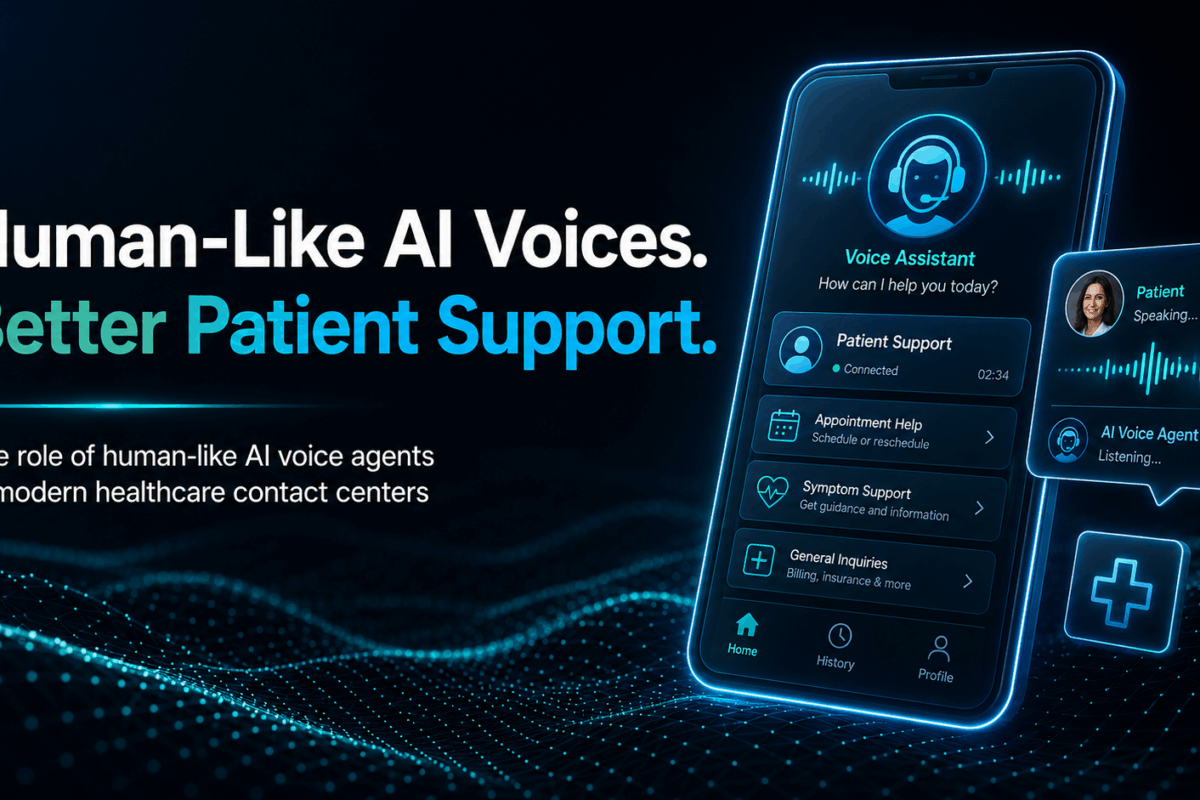
The Role of Human-Like AI Voice Agents in Modern Healthcare Contact Centers

Healthcare organizations are under constant pressure to provide fast, reliable, and patient-friendly support. Every day, hospitals, clinics, medical centers, and healthcare providers receive a large number of phone calls from patients seeking information, booking appointments, requesting prescription refills, checking test results, or asking questions about their healthcare services.

Traditional healthcare contact centers often struggle to manage increasing call volumes while maintaining a high level of patient satisfaction. Long wait times, complex phone menus, and limited staff availability can create frustration for patients and increase operational challenges for healthcare providers.

As technology continues to evolve, human-like AI voice agents are becoming an important solution for modern healthcare contact centers. Unlike traditional automated phone systems, these advanced AI-powered voice assistants can understand natural language, respond conversationally, and create a more comfortable and familiar experience for callers.

This article explores the role of human-like AI voice agents in healthcare contact centers and how they are transforming patient communication through more natural and efficient interactions.

Understanding Human-Like AI Voice Agents

Human-like AI voice agents are intelligent systems designed to communicate with callers using natural conversations. They use advanced technologies such as artificial intelligence, natural language processing, speech recognition, and machine learning to understand spoken language and respond in a way that feels more human.

Traditional automated systems usually rely on rigid menu options. Patients are often required to listen to multiple prompts and press specific numbers before reaching the information they need. This process can be time-consuming and frustrating, especially for elderly patients or individuals who may already be stressed due to health concerns.

Human-like AI voice agents work differently. Instead of forcing callers to navigate complex menus, they allow patients to speak naturally. The AI understands the request, processes the information, and provides relevant assistance through a conversational interaction.

For example, a patient can simply say:

“I would like to schedule an appointment with a cardiologist next week.”

The AI voice agent can understand the request and guide the patient through the booking process without requiring multiple menu selections. This conversational approach creates a smoother and more user-friendly experience for healthcare callers.

Why Patient Experience Matters in Healthcare Contact Centers

Patient experience plays a critical role in healthcare services. Every interaction between a healthcare provider and a patient contributes to the overall perception of care quality.

Phone communication is often one of the first points of contact between patients and healthcare organizations. A positive calling experience can build trust and confidence, while a frustrating experience may negatively affect patient satisfaction.

Many patients contact healthcare providers during stressful situations. They may be dealing with illness, medical concerns, treatment questions, or urgent healthcare needs. In these moments, clear and efficient communication becomes especially important.

Human-like AI voice agents help improve patient experience by making interactions feel more natural and less robotic. Patients can communicate in their own words instead of adapting to a rigid phone system.

This familiarity helps reduce frustration and creates a more comfortable environment for individuals seeking assistance.

Moving Beyond Traditional Automated Phone Menus

Traditional interactive voice response systems have been widely used in healthcare contact centers for many years. While these systems can help manage large call volumes, they often present several limitations.

Patients frequently encounter lengthy menu structures that require them to select multiple options before reaching the appropriate department. In many cases, callers must listen carefully to a long list of instructions and repeat the process if they select the wrong option.

These experiences can increase caller frustration and lead to longer call times.

Human-like AI voice agents offer a more advanced alternative. Instead of asking callers to navigate menus, they engage directly in conversation.

Patients can explain their needs naturally, such as:

  • Scheduling appointments
  • Confirming appointment times
  • Requesting clinic information
  • Asking about office hours
  • Updating personal details
  • Seeking general service information

The AI can understand intent and guide the caller accordingly.

This shift from menu-based navigation to conversational interaction creates a more efficient and patient-centered communication experience.

Natural Language Understanding Improves Communication

One of the most valuable capabilities of human-like AI voice agents is natural language understanding. People do not always speak in the same way. Different patients may describe the same request using different words, accents, speaking styles, or sentence structures.

For example, patients might say:

  • “I need to see a doctor.”
  • “Can I book an appointment?”
  • “I want to schedule a checkup.”
  • “I’d like to visit a physician next week.”

Human-like AI systems are designed to recognize these variations and identify the underlying intent. This flexibility allows patients to communicate naturally without worrying about using specific keywords or phrases.

As a result, conversations feel more intuitive and less restrictive compared to traditional automated systems. Healthcare organizations can benefit from smoother interactions while patients enjoy a more convenient calling experience.

Providing Consistent Support Around the Clock

Healthcare contact centers often receive calls outside regular business hours. Patients may need information in the evening, during weekends, or on public holidays. Maintaining 24-hour support with human agents alone can be challenging and costly.

Human-like AI voice agents can provide continuous availability, ensuring that callers receive assistance whenever they need it. These systems can answer common questions, provide basic information, and assist with routine requests at any time of day.

Patients benefit from immediate responses rather than waiting until the next business day. Continuous availability also helps healthcare organizations improve accessibility and service consistency across all communication channels.

Reducing Patient Wait Times

Long waiting times are among the most common sources of frustration in healthcare contact centers. When call volumes increase, patients may spend significant time waiting to speak with an agent. During busy periods, delays can become even longer.

Human-like AI voice agents help address this challenge by handling a large number of routine interactions simultaneously. Because AI systems can manage multiple calls at once, they reduce bottlenecks and allow patients to receive assistance more quickly.

Faster response times contribute to improved patient satisfaction and a more efficient contact center operation. By automating routine conversations, healthcare organizations can better manage peak call periods without compromising service quality.

Supporting Healthcare Staff More Effectively

The purpose of AI voice agents is not to replace healthcare professionals. Instead, these systems help support staff by handling repetitive and routine interactions.

Healthcare contact center agents often spend a large portion of their time answering similar questions and processing basic requests.

Examples include:

  • Appointment scheduling
  • Appointment confirmations
  • Clinic directions
  • Office hours information
  • Insurance-related guidance
  • General service inquiries

When AI voice agents manage these routine tasks, human staff can focus on more complex conversations that require empathy, critical thinking, and specialized knowledge. This creates a better balance between automation and human expertise.

Healthcare organizations can improve productivity while ensuring that patients receive appropriate support for their specific needs.

Intelligent Escalation to Human Agents

One of the most important features of modern AI voice agents is their ability to recognize when human intervention is necessary.

Not every healthcare inquiry can be resolved through automation. Some situations involve complex questions, emotional concerns, or unique circumstances that require personalized assistance.

Human-like AI voice agents are designed to identify these situations and transfer callers to human representatives when needed.

For example, if a patient expresses confusion, frustration, or presents a request outside the AI’s capabilities, the system can escalate the interaction seamlessly. This approach ensures that patients receive the right level of support at the right time.

Rather than creating barriers, AI becomes a tool that helps direct patients to appropriate resources more efficiently. The combination of AI assistance and human expertise creates a stronger overall service experience.

Creating a More Comfortable Experience for Patients

Many people feel more comfortable speaking naturally rather than navigating automated menus.

Human-like AI voice agents contribute to a more welcoming experience by using conversational communication styles that resemble human interactions.

Patients can explain their needs in everyday language without memorizing commands or following complex instructions.

This familiarity can be especially beneficial for:

  • Elderly patients
  • Individuals with limited technical experience
  • Patients experiencing stress or anxiety
  • Callers seeking quick assistance

When interactions feel natural and straightforward, patients are more likely to have positive experiences with healthcare contact centers. Comfort and convenience play an important role in improving overall satisfaction.

Enhancing Communication Accuracy

Miscommunication can create challenges in healthcare environments. Traditional automated systems may fail to understand caller intentions if the patient does not follow specific menu paths. This can result in incorrect routing, repeated transfers, or unresolved inquiries.

Human-like AI voice agents use advanced language processing capabilities to better understand patient requests and identify the appropriate response.

By accurately interpreting spoken language, these systems help improve communication efficiency and reduce unnecessary confusion. Improved accuracy benefits both patients and healthcare organizations by creating smoother interactions and more reliable outcomes.

Managing High Call Volumes More Efficiently

Healthcare contact centers often experience periods of increased demand. Seasonal illnesses, public health events, vaccination campaigns, and healthcare emergencies can all contribute to sudden increases in call volume.

During these periods, maintaining service quality becomes more challenging. Human-like AI voice agents provide scalability that allows healthcare organizations to manage increased demand without significantly increasing staffing requirements.

The AI can handle large numbers of incoming calls while maintaining consistent performance. This flexibility helps organizations remain responsive even during periods of exceptionally high activity.

Patients receive timely assistance, and healthcare providers can maintain operational stability.

Supporting Multilingual Communication

Healthcare organizations often serve diverse populations with varying language preferences. Language barriers can create communication challenges that affect patient understanding and satisfaction.

Many advanced AI voice agents support multiple languages and can communicate with patients in their preferred language. This capability helps improve accessibility and promotes more inclusive healthcare communication.

Patients are more likely to understand information clearly when they can communicate comfortably in their native language. For healthcare providers operating in multicultural regions such as Dubai, multilingual communication support can be particularly valuable.

Data-Driven Insights for Continuous Improvement

Human-like AI voice agents can also provide valuable insights into patient interactions. Healthcare organizations can analyze conversation trends, frequently asked questions, and common service requests to identify opportunities for improvement.

These insights help contact center managers understand patient needs more effectively.

By examining interaction data, healthcare providers can:

  • Improve communication strategies
  • Optimize workflows
  • Identify service gaps
  • Enhance patient support processes
  • Improve operational efficiency

Data-driven decision-making allows healthcare organizations to continuously refine their contact center performance.

How We Helped a Hospital Group Manage Growing Call Volumes with NOOR AI

A large hospital group was facing a continuous increase in patient calls across its contact center. Patients were reaching out for appointment scheduling, service inquiries, clinic information, and general support. As call volumes grew, the contact center team found it difficult to maintain fast response times while still delivering a high-quality patient experience.

The hospital needed a solution that could support their existing contact center by handling routine inquiries more efficiently, without affecting the quality of patient communication.

The Solution We Proposed

At INTEL-CS, we proposed NOOR AI as a human-like voice AI agent designed to support healthcare contact centers through natural conversations.

NOOR AI is built to interact with patients using natural language and a human-sounding voice. Unlike traditional automated phone systems that rely on rigid menus and keypad inputs, NOOR AI allows patients to speak freely and describe their needs in their own words.

The system understands intent, responds conversationally, and guides patients through the required process in a smooth and simple way. It also escalates complex cases to human agents whenever necessary, ensuring patients always receive the right level of support.

The Outcome

After evaluating the solution, the hospital leadership team was impressed with NOOR AI and approved its implementation.

Once deployed, NOOR AI began handling a large portion of routine patient calls, including appointment-related requests and general inquiries. This helped reduce pressure on human agents and improved overall call handling efficiency.

Patients benefited from quicker responses and a more natural calling experience, while the contact center team was able to focus more on complex and high-priority cases.

Senior leadership was highly satisfied with the results and decided to continue using NOOR AI alongside their existing contact center operations as part of a long-term support strategy.

This case demonstrates how we at INTEL-CS use human-like AI voice technology to help healthcare organizations manage growing communication demands while improving patient experience.

Conclusion

Human-like AI voice agents are playing an increasingly important role in modern healthcare contact centers. By moving beyond traditional automated phone menus, these systems create more natural, conversational, and patient-friendly experiences.

Their ability to understand natural language, provide immediate assistance, reduce wait times, support healthcare staff, and escalate complex cases to human representatives makes them a valuable communication tool.

As healthcare organizations continue seeking ways to improve patient engagement and service quality, human-like AI voice agents offer a practical solution that combines efficiency with accessibility.

By delivering familiar and comfortable interactions, these technologies help healthcare contact centers better meet the needs of modern patients while supporting more effective communication across the healthcare journey.

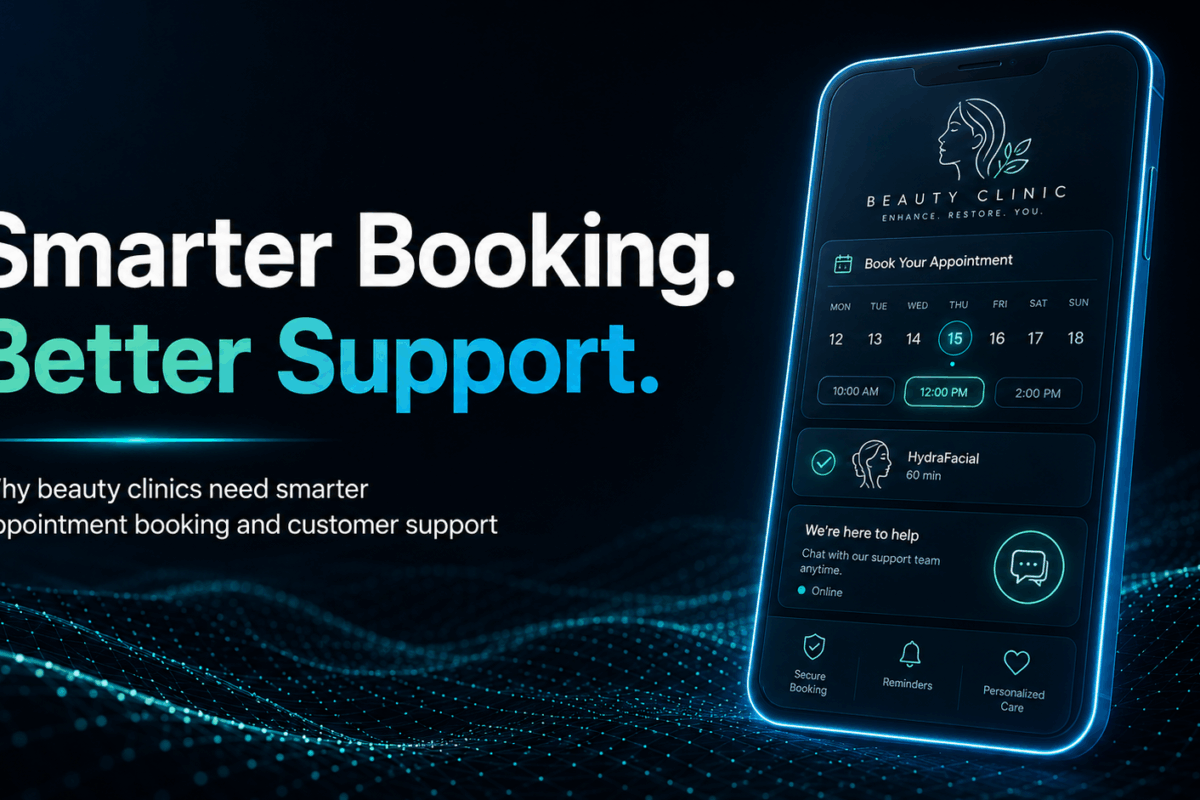
Why Beauty Clinics Need Smarter Appointment Booking and Customer Support

The beauty and aesthetic industry in Dubai continues to grow rapidly. From skincare treatments and laser procedures to cosmetic consultations and wellness services, beauty clinics are serving more clients than ever before. As competition increases, clinics are focusing not only on treatment quality but also on the overall customer experience.

One area that significantly affects patient satisfaction is appointment booking and customer support. Many clients decide whether to visit a clinic based on how quickly their questions are answered and how easy it is to book an appointment. When communication is slow or booking processes are complicated, potential customers often move to another clinic.

Beauty clinics receive inquiries throughout the day from new and existing patients. These inquiries may come through phone calls, WhatsApp messages, social media platforms, websites, and email. Managing these communication channels efficiently can become challenging, especially during busy periods.

This is why many beauty clinics are exploring smarter appointment booking and customer support systems. Modern solutions help clinics handle inquiries faster, improve communication, reduce booking friction, and provide a better experience for every customer.

In this article, we will explore the common challenges beauty clinics face and why smarter support and booking systems are becoming increasingly important.

The Growing Expectations of Beauty Clinic Customers

Customer expectations have changed significantly over the past few years. People now expect businesses to be available whenever they need information. They want quick answers, simple booking processes, and convenient communication channels.

When a potential client is interested in a treatment, they often have several questions before making a decision. They may want to know:

  • Available services
  • Treatment costs
  • Session duration
  • Recovery time
  • Available appointment slots
  • Clinic location
  • Qualifications of specialists

Most customers prefer receiving answers immediately rather than waiting hours or days for a response.

In a city like Dubai, where consumers have many options available, delayed communication can lead to lost opportunities. If one clinic takes several hours to respond while another provides instant information, the customer may choose the clinic that responds faster.

Providing a smooth communication experience has become an important part of customer service in the beauty industry.

The Problem of Missed Inquiries

One of the most common challenges beauty clinics face is missed inquiries. Reception teams are often responsible for answering phone calls, greeting visitors, managing appointments, handling paperwork, and responding to messages. 

During busy periods, it becomes difficult to respond to every inquiry immediately. Missed inquiries can occur when:

  • Staff members are occupied with patients
  • Phone lines are busy
  • Messages arrive outside business hours
  • Multiple inquiries arrive at the same time
  • Social media messages are overlooked

Every missed inquiry represents a potential customer who was interested in the clinic’s services.

Many people searching for beauty treatments contact multiple clinics before making a decision. If they do not receive a timely response, they may simply move on to another provider.

Even existing patients can become frustrated when their questions remain unanswered for long periods. Reducing missed inquiries helps clinics maintain stronger relationships with both new and returning customers.

Why Repetitive Questions Consume Valuable Time

Beauty clinics often receive the same questions repeatedly throughout the day.

Common examples include:

  • What are your treatment prices?
  • Do you offer laser hair removal?
  • What are your operating hours?
  • Where is your clinic located?
  • How can I book an appointment?
  • Do I need a consultation first?
  • Which treatments are suitable for my skin type?

Although these questions are important, answering them manually every time can consume a significant amount of staff time.

Reception teams may spend hours each day responding to identical inquiries. This reduces the time available for higher-value tasks such as assisting patients in the clinic, coordinating schedules, and managing customer relationships.

As inquiry volumes increase, repetitive communication can create operational pressure and slow down response times. Smarter customer support systems help organize information and make it easier for customers to access answers quickly.

Slow Response Times Can Affect Patient Experience

Speed plays a major role in customer satisfaction. When people contact a beauty clinic, they often expect a response within minutes. Long waiting times can create a negative impression, even before a patient visits the clinic.

Slow responses may lead customers to assume:

  • The clinic is disorganized
  • Customer service is poor
  • Staff members are unavailable
  • Communication will remain difficult after booking

First impressions matter in the beauty industry. Patients are placing trust in a clinic to provide treatments that affect their appearance and confidence. Professional communication helps build that trust from the beginning.

Fast responses create a smoother customer journey and demonstrate that the clinic values patient inquiries. The ability to respond quickly is becoming a competitive advantage for modern beauty clinics.

Booking Friction Creates Unnecessary Obstacles

Booking friction refers to anything that makes it harder for customers to schedule appointments. Many clinics still rely on traditional booking methods that require multiple steps. Customers may need to:

  • Call during business hours
  • Wait for staff availability
  • Exchange several messages
  • Confirm appointment times manually
  • Follow up for updates

Each additional step increases the likelihood that the customer will abandon the booking process.

People today prefer convenience. They want appointment scheduling to be simple, fast, and accessible from their mobile devices.

If the booking process feels complicated, customers may postpone making an appointment or choose another clinic with a more convenient system. Reducing booking friction helps clinics convert more inquiries into confirmed appointments.

The Importance of Consistent Customer Communication

Consistency is a key element of customer service. Patients expect accurate information regardless of when or how they contact a clinic. However, maintaining consistency can be difficult when multiple staff members handle customer inquiries.

Different team members may provide:

  • Different pricing information
  • Different appointment details
  • Different treatment explanations
  • Different booking procedures

Inconsistent communication can create confusion and reduce customer confidence.

A more structured support system helps ensure that patients receive accurate and consistent information every time they interact with the clinic. This improves trust and strengthens the clinic’s professional reputation.

Managing High Inquiry Volumes During Peak Periods

Beauty clinics often experience periods of increased demand.

Examples include:

  • Seasonal promotions
  • Holiday offers
  • Wedding seasons
  • New treatment launches
  • Marketing campaigns
  • Social media advertising campaigns

During these periods, inquiry volumes can increase significantly. Reception teams may struggle to keep up with incoming messages and calls. Delayed responses become more common, and customer satisfaction may decline.

Without an efficient communication process, clinics risk losing potential bookings during the very periods when demand is highest. Managing large volumes of inquiries requires systems that can support both staff productivity and customer expectations.

Why WhatsApp Has Become a Preferred Communication Channel

WhatsApp has become one of the most widely used communication platforms in Dubai and across the Middle East.

Many customers prefer WhatsApp because it is:

  • Familiar
  • Fast
  • Convenient
  • Mobile-friendly
  • Easy to access

Rather than making phone calls, many patients choose to send messages and receive information through chat. For beauty clinics, WhatsApp offers an opportunity to communicate with customers on a platform they already use every day.

Patients can ask questions, request information, and inquire about appointments without needing to navigate complicated systems. This convenience helps improve customer engagement and accessibility.

How AI-Powered WhatsApp Support Improves Customer Service

AI-powered WhatsApp support is designed to help clinics handle customer communication more efficiently. Instead of relying entirely on manual responses, clinics can provide instant assistance for common inquiries.

When customers ask frequently asked questions, they can receive information immediately.

Examples include:

  • Service availability
  • Treatment information
  • Business hours
  • Clinic location
  • Appointment procedures
  • Consultation requirements

Providing immediate responses helps reduce waiting times and improves the overall customer experience.

Patients feel acknowledged quickly, while reception teams can focus on more complex conversations that require personal attention. This balance improves efficiency without sacrificing customer care.

Improving Appointment Booking Efficiency

Appointment scheduling is one of the most important interactions between a clinic and its customers. A smoother booking experience benefits both patients and clinic staff.

Smarter booking systems can help by:

  • Simplifying appointment requests
  • Reducing scheduling delays
  • Organizing booking information
  • Minimizing manual administrative work
  • Supporting faster appointment confirmations

When customers can schedule appointments more easily, clinics often experience better booking conversion rates.

A streamlined process also reduces confusion and helps create a more professional experience from the first interaction.

Supporting Customers Outside Business Hours

Beauty clinics cannot always maintain a full customer support team around the clock. However, customer inquiries often arrive during evenings, weekends, and holidays.

Many people research treatments after work hours when they have more free time. If they cannot receive assistance, they may delay their decision or contact another clinic.

Providing support beyond normal business hours helps clinics remain accessible to potential customers. Even basic assistance can make a significant difference in customer satisfaction and engagement.

Availability has become an important factor in modern customer service.

Reducing Pressure on Reception Teams

Reception staff play a critical role in beauty clinic operations. Their responsibilities often include:

  • Managing appointments
  • Welcoming patients
  • Processing paperwork
  • Coordinating schedules
  • Handling phone calls
  • Responding to inquiries

As inquiry volumes increase, staff members can become overwhelmed.

Excessive administrative workloads may affect productivity and customer service quality. Smarter support systems help reduce pressure by handling routine interactions more efficiently.

This allows staff to dedicate more attention to in-person patient experiences and complex customer needs. The result is a more balanced and effective workflow.

Enhancing the Overall Patient Journey

Customer experience begins long before a patient enters the clinic. Every interaction contributes to the overall perception of the business.

The patient journey typically includes:

  1. Discovering the clinic
  2. Requesting information
  3. Asking questions
  4. Booking an appointment
  5. Receiving reminders
  6. Attending the appointment
  7. Following up after treatment

Communication plays an important role throughout each stage.

When information is easy to access and appointments are simple to schedule, patients enjoy a smoother experience. Positive communication experiences increase customer confidence and contribute to stronger relationships between clinics and patients.

Building Trust Through Faster Communication

Trust is essential in the beauty and aesthetics industry. Patients often invest significant time and money into treatments that affect their appearance and well-being.

Before committing to a clinic, they want reassurance that their questions will be answered and their concerns will be addressed. Fast and reliable communication helps establish that confidence.

When patients receive timely information and clear guidance, they feel more comfortable moving forward with consultations and treatments. Effective customer support is therefore not only an operational advantage but also an important trust-building tool.

The Competitive Advantage of Smarter Support Systems

Dubai’s beauty industry is highly competitive. Clinics compete not only on treatment quality but also on customer experience.

A clinic that responds quickly, simplifies bookings, and provides consistent communication can create a stronger impression than competitors with slower processes. Customers increasingly evaluate businesses based on convenience and responsiveness.

As expectations continue to rise, communication efficiency becomes a valuable differentiator. Clinics that invest in improving appointment booking and customer support are often better positioned to meet modern customer expectations.

How INTEL-CS Helped a Beauty Clinic Improve Customer Engagement

A beauty clinic approached us at INTEL-CS looking for a better way to manage customer inquiries and appointment requests. The clinic was receiving a steady stream of messages through WhatsApp, but the reception team found it difficult to respond quickly to every inquiry, especially during busy periods.

Many potential patients were asking similar questions about available treatments, consultation procedures, pricing information, and appointment availability. As inquiry volumes increased, response times became slower, creating additional pressure on the customer service team.

To address these challenges, we implemented a WhatsApp AI agent designed specifically for customer engagement and appointment support.

The AI agent was configured to:

  • Welcome and engage with customers through WhatsApp
  • Provide information about available beauty and aesthetic services
  • Answer frequently asked questions
  • Guide customers through the appointment booking process
  • Confirm appointment requests
  • Collect relevant customer information before consultations

One important requirement from the clinic was ensuring that medical discussions remained under the supervision of qualified staff. For this reason, the AI agent was designed to identify medical or treatment-specific questions that required professional guidance.

Whenever a customer asked a medical question or requested advice that required human expertise, the conversation was automatically transferred to a member of the clinic team. This ensured that patients received accurate information from qualified professionals while allowing the AI system to manage routine inquiries efficiently.

As a result, the clinic was able to respond to customers more quickly, reduce the workload on reception staff, and create a smoother booking experience for potential patients. Customers received immediate assistance for common questions, while clinic staff could focus their attention on consultations and more complex inquiries.

This example demonstrates how AI-powered WhatsApp support can enhance customer engagement while maintaining the appropriate balance between automation and human expertise. For beauty clinics, this approach can improve communication efficiency without compromising the quality of patient interactions.

Why This Approach Works

The success of this implementation highlights an important principle in beauty clinic customer service. Automation is most effective when it handles routine interactions while allowing trained professionals to focus on conversations that require clinical knowledge or personalized support.

By combining AI-driven engagement with human oversight, clinics can improve response times, simplify appointment booking, and deliver a more consistent customer experience across every stage of the patient journey.

Conclusion

Beauty clinics face several communication challenges, including missed inquiries, repetitive questions, slow response times, and booking friction. These issues can affect customer satisfaction, reduce operational efficiency, and limit appointment conversions.

Today’s patients expect fast, convenient, and reliable communication throughout their journey. They want answers quickly and prefer simple booking experiences that fit into their daily lives.

Smarter appointment booking and customer support systems help address these challenges by improving responsiveness, reducing administrative workload, and creating a more seamless patient experience.

AI-powered WhatsApp support has emerged as a practical solution that enables beauty clinics to manage inquiries more effectively while reducing pressure on reception and customer service teams. By enhancing communication and simplifying appointment scheduling, clinics can provide a better experience for both new and existing patients.

As customer expectations continue to evolve, efficient communication and booking processes will remain essential components of successful beauty clinic operations.

Cloud Resilience Checklist: Are You Prepared for the Unexpected?

Cloud computing has changed how businesses in Dubai manage data, applications, and daily operations. Companies now rely on cloud platforms to support customer service, remote work, eCommerce, banking, healthcare systems, and business communication. While cloud technology offers flexibility and speed, it also creates new risks. A single outage, cyberattack, hardware failure, or configuration mistake can interrupt operations and damage business continuity.

Cloud resilience helps organizations stay operational during unexpected events. It focuses on preparation, recovery, and continuity. Businesses that invest in cloud resilience can reduce downtime, protect sensitive data, and recover quickly from disruptions.

This cloud resilience checklist explains the most important areas businesses should review to strengthen their cloud environment.

What Is Cloud Resilience?

Cloud resilience is the ability of a cloud environment to continue operating during failures, attacks, or unexpected disruptions. A resilient cloud system can detect problems quickly, respond efficiently, and restore services with minimal interruption.

Cloud resilience combines several areas, including:

  • Disaster recovery
  • Data backup
  • Cybersecurity
  • High availability
  • Infrastructure redundancy
  • Risk management
  • Monitoring and response planning

Many businesses confuse cloud resilience with backup storage. Backups are only one part of resilience. True resilience involves preparing the entire cloud environment to handle disruptions without major operational impact using approaches supported by iNTEL-CS cloud strategies and frameworks.

For companies in Dubai, resilience is especially important because businesses often operate in highly competitive industries where downtime can affect customer trust and revenue.

Why Cloud Resilience Matters for Modern Businesses

Businesses today depend heavily on digital services. Even a short interruption can create serious consequences. If a website goes offline, customers may leave. If internal systems fail, employees may lose productivity. If sensitive data becomes unavailable, business operations can stop completely.

Cloud resilience provides several important benefits:

Reduced Downtime

A resilient system recovers faster during outages. This minimizes operational disruption and protects revenue.

Better Customer Trust

Customers expect services to remain available at all times. Reliable systems improve customer confidence.

Improved Data Protection

Strong resilience planning protects business-critical information from accidental loss, ransomware, and hardware failure.

Regulatory Compliance

Many industries require businesses to maintain secure and recoverable systems. Cloud resilience supports compliance goals.

Stronger Cybersecurity Response

Resilient cloud systems can isolate threats and recover faster after cyber incidents.

Cloud Resilience Checklist

The following checklist highlights the most important areas businesses should evaluate to improve cloud resilience and maintain operational stability during unexpected disruptions using Cloud Computing Solutions that support secure, scalable, and reliable infrastructure.

1. Identify Critical Business Applications

The first step in building a resilient cloud environment is understanding which systems are most important to daily operations.

Not every application requires the same level of protection. Businesses should focus on identifying systems that directly support operations, customer experience, and revenue generation.

This may include:

  • Customer-facing applications
  • Financial systems
  • Communication platforms
  • Databases
  • Internal operational tools
  • eCommerce services

Organizations should ask several important questions during this process:

  • Which applications are essential for daily business operations?
  • Which systems directly generate revenue?
  • Which platforms store sensitive customer or company data?
  • What would happen if these systems became unavailable?

Answering these questions helps businesses prioritize cloud resilience investments and create stronger recovery strategies.

Best Practice

Create a detailed inventory of critical applications and rank them based on operational importance, recovery priority, and business impact.

2. Build a Strong Backup Strategy

Backups are one of the most important foundations of cloud resilience.

Businesses should never rely on a single backup copy. A reliable backup strategy includes multiple secure copies stored across different environments or regions to reduce the risk of permanent data loss.

A strong backup strategy should include:

  • Automatic backup scheduling
  • Encrypted backup storage
  • Multi-region backup storage
  • Regular recovery testing
  • Ransomware protection measures
  • Backup version history

Many organizations assume their backups are working correctly until an emergency occurs. Unfortunately, backup failures are often discovered during real incidents when recovery becomes urgent.

Regular testing ensures backup systems remain functional and accessible when needed most.

Best Practice

Perform routine backup recovery tests to verify that data can be restored successfully without corruption, delays, or missing information.

3. Implement Disaster Recovery Planning

Disaster recovery planning explains how cloud systems and business operations will recover after a major disruption using modern Disaster Recovery Solutions designed to ensure fast restoration and minimal downtime.

Without a proper disaster recovery strategy, even a small incident can lead to long periods of downtime, data loss, and operational delays. A structured recovery plan helps businesses respond quickly and restore critical services with minimal interruption.

Common cloud-related disasters include:

  • Data center failures
  • Cyberattacks
  • Power outages
  • Human errors
  • Hardware failures
  • Software corruption

An effective disaster recovery plan should clearly define recovery procedures, technical responsibilities, escalation processes, and communication methods during emergencies.

Important Disaster Recovery Components

Recovery Time Objective (RTO)

Recovery Time Objective measures how quickly systems and applications must be restored after an outage. Businesses should define acceptable downtime limits for each critical service.

Recovery Point Objective (RPO)

Recovery Point Objective measures the maximum amount of data loss a business can tolerate during an incident. This helps determine backup frequency and recovery requirements.

Recovery Roles

Every employee involved in disaster recovery should understand their specific responsibilities. Clear role assignments improve coordination during emergencies.

Recovery Testing

Disaster recovery plans should be tested regularly through simulations, failover exercises, and operational drills. Testing helps identify weaknesses before real incidents occur.

Best Practice

Document all disaster recovery procedures clearly and store secure copies in multiple accessible locations for emergency use.

4. Use Multi-Region Cloud Infrastructure

Depending on a single cloud region creates unnecessary operational risk.

If one data center or cloud region experiences an outage, applications hosted only in that location may become unavailable to users. Multi-region cloud infrastructure improves resilience by distributing systems and workloads across different geographic locations.

This approach helps businesses maintain service continuity even if one region experiences technical problems.

Benefits of Multi-Region Deployment

  • Better application availability
  • Faster disaster recovery
  • Reduced impact from outages
  • Improved infrastructure redundancy
  • Better performance for users in different regions

Many cloud providers also offer automated failover capabilities that redirect traffic to healthy regions during service disruptions.

Best Practice

Host critical applications and data across at least two independent cloud regions to improve availability and reduce downtime risks.

5. Enable High Availability Architecture

High availability architecture helps cloud systems remain operational even when individual components fail.

The main goal of high availability is to reduce downtime and maintain uninterrupted access to applications and services. This is achieved by eliminating single points of failure within the infrastructure.

When one server, database, or network component fails, another system automatically takes over to keep services running smoothly.

Common High Availability Features

  • Load balancing
  • Redundant servers
  • Automatic failover
  • Clustered databases
  • Distributed storage systems

Businesses that depend on continuous uptime, such as eCommerce platforms, financial services, healthcare providers, and customer-facing applications, should prioritize high availability infrastructure.

High availability also improves user experience by reducing service interruptions and maintaining stable application performance.

Best Practice

Review cloud infrastructure regularly to identify and remove single points of failure that could cause unexpected downtime.

6. Strengthen Cloud Security Controls

Cloud resilience and cybersecurity are closely connected.

A cyberattack can quickly become a serious business continuity problem if organizations cannot contain threats or recover systems efficiently. Strong security controls help reduce the risk of unauthorized access, data breaches, ransomware attacks, and operational disruptions.

Businesses should implement layered security strategies to protect cloud environments from both external and internal threats.

Essential Security Checklist

  • Multi-factor authentication
  • Strong password policies
  • Network segmentation
  • Endpoint protection
  • Cloud firewalls
  • Identity and access management
  • Encryption for stored and transmitted data
  • Continuous security monitoring

Security misconfigurations remain one of the leading causes of cloud incidents. Incorrect permissions, exposed storage, and weak authentication settings can create serious vulnerabilities.

Regular security reviews help organizations identify weaknesses before attackers can exploit them.

Best Practice

Audit cloud security settings frequently and remove unnecessary permissions, inactive accounts, and outdated access privileges.

7. Monitor Cloud Systems Continuously

Continuous monitoring is an important part of cloud resilience because it helps businesses detect issues early before they turn into major incidents.

Modern cloud environments are complex and involve many interconnected systems. Without proper monitoring, small performance issues or security threats can go unnoticed until they cause downtime or data loss.

Monitoring should cover all key areas of the cloud infrastructure, including:

  • Server performance
  • Network traffic
  • Application availability
  • Security threats
  • Resource usage
  • User activity

Automated alerts play a major role in improving response time. When unusual activity or system failures occur, alerts notify technical teams immediately so they can take action quickly.

Benefits of Continuous Monitoring

  • Faster incident detection
  • Reduced downtime
  • Better system visibility
  • Improved performance management
  • Early warning of cyber threats

Continuous monitoring helps businesses maintain control over cloud environments and ensures that potential risks are identified at an early stage.

Best Practice

Use centralized monitoring dashboards that provide a unified view of all cloud services in one place for faster analysis and response.

8. Automate Incident Response Processes

Manual incident response is often slow and inconsistent, especially during high-pressure situations. Automation improves both speed and accuracy when dealing with cloud disruptions.

By automating key response actions, businesses can reduce human error and ensure that critical steps are executed immediately when an incident occurs.

Areas Suitable for Automation

  • Backup scheduling
  • Threat detection
  • Security alerts
  • Failover activation
  • System patching
  • Resource scaling

Automation helps organizations maintain consistent response procedures and reduces dependency on manual intervention during emergencies.

It also improves system reliability by ensuring that predefined actions are triggered instantly when specific conditions are met.

Best Practice

Automate repetitive monitoring and recovery tasks wherever possible to improve response time and strengthen overall cloud resilience.

9. Test Resilience Plans Regularly

A cloud resilience plan is only effective when it is tested in real conditions. Without testing, businesses may assume their systems are ready, but fail during an actual incident.

Regular testing helps organizations identify weak points in their cloud setup, improve response time, and ensure teams understand their roles during emergencies.

Testing also improves confidence in recovery systems and ensures that backups, failover processes, and disaster recovery procedures work as expected.

Common Testing Methods

Backup Recovery Testing

This method checks whether backup data can be restored correctly. It ensures that backups are complete, accessible, and usable during emergencies.

Disaster Recovery Simulations

These simulations test how teams respond during real-world outage scenarios. They help evaluate communication, decision-making, and recovery speed.

Penetration Testing

Penetration testing identifies security vulnerabilities in cloud systems by simulating cyberattacks. This helps strengthen defenses before real attackers can exploit weaknesses.

Failover Testing

Failover testing ensures that systems automatically switch to backup infrastructure when primary systems fail. This is important for maintaining uptime.

Best Practice

Schedule resilience testing multiple times per year to ensure systems remain reliable, updated, and ready for unexpected disruptions.

10. Protect Against Ransomware Attacks

Ransomware is one of the most serious threats to cloud environments today. Attackers use malicious software to encrypt data, block access to systems, and demand payment to restore operations.

A strong cloud resilience strategy must include dedicated protection against ransomware, as recovery can be difficult without proper preparation.

Ransomware Protection Checklist

  • Use immutable backups that cannot be changed or deleted
  • Restrict administrative privileges to reduce attack impact
  • Enable endpoint detection and response tools
  • Segment critical systems to limit spread
  • Train employees to recognize phishing attacks
  • Monitor systems for unusual or suspicious activity

These measures help reduce the risk of infection and improve recovery speed if an attack occurs.

Best Practice

Maintain isolated and secure backup copies that cannot be accessed or modified by attackers, ensuring safe recovery even during severe ransomware incidents.

11. Manage User Access Carefully

User access management is a critical part of cloud resilience because it directly affects how securely systems and data are protected.

When users have more access than they need, the risk of accidental changes, data leaks, and insider threats increases. Proper access control ensures that each user only has the permissions required to perform their job.

This approach reduces security risks and also helps prevent operational disruptions caused by human error or misuse of privileges.

Access Management Checklist

  • Use role-based access control (RBAC)
  • Remove inactive or unused accounts
  • Monitor privileged or admin accounts
  • Apply least privilege principles
  • Require multi-factor authentication (MFA)

Role-based access control ensures users are grouped based on job functions, making permission management simpler and more secure.

Best Practice

Review user permissions regularly, especially when employees change roles, departments, or leave the organization. This helps maintain strong security and reduces unnecessary access risks.

12. Keep Software and Systems Updated

Keeping software and systems updated is essential for maintaining cloud resilience and reducing security risks.

Outdated software can contain vulnerabilities that attackers may exploit. It can also lead to performance issues, system instability, and compatibility problems within cloud environments.

A structured patch management process helps businesses keep systems secure, stable, and up to date.

Patch Management Checklist

  • Install security updates as soon as they are released
  • Monitor vendor security advisories regularly
  • Test updates before full deployment
  • Remove unsupported or legacy software
  • Automate patching where possible

Testing updates before deployment helps prevent unexpected system failures caused by incompatible updates.

Best Practice

Maintain a consistent and well-planned update schedule for all cloud systems, applications, and infrastructure components to ensure long-term stability and security.

13. Document Cloud Infrastructure Clearly

Clear documentation is an important part of cloud resilience because it helps technical teams respond quickly during incidents.

When systems fail, teams need immediate access to accurate information about how the cloud environment is structured. Without proper documentation, recovery becomes slower, confusion increases, and downtime may last longer than necessary.

Good cloud documentation ensures that every part of the infrastructure is easy to understand, maintain, and restore when needed.

Technical teams should maintain updated records of:

  • Cloud architecture
  • Network configurations
  • Security policies
  • Backup schedules
  • Recovery procedures
  • Contact information

This information helps teams quickly identify issues and take the correct actions during emergencies.

Poor or outdated documentation can create delays, especially when key personnel are unavailable during an incident.

Best Practice

Store all cloud documentation in a secure and centralized location, and update it immediately after any infrastructure change to ensure accuracy and reliability.

14. Train Employees on Cloud Resilience

Cloud resilience is not only about technology. People play a major role in maintaining system stability and preventing disruptions.

Employees often interact with cloud systems daily, which means their actions can directly impact security and performance. Proper training helps reduce mistakes, improve awareness, and strengthen overall resilience.

Human error remains one of the most common causes of cloud incidents, including misconfigurations, phishing attacks, and accidental data exposure.

Important Training Areas

  • Cybersecurity awareness
  • Phishing prevention
  • Incident reporting procedures
  • Password security best practices
  • Recovery and response procedures
  • Remote work security guidelines

Regular training ensures employees understand risks and know how to respond correctly during unexpected events.

It also helps build a security-focused culture within the organization.

Best Practice

Provide continuous training programs for all employees, not just technical teams, to ensure consistent awareness of cloud resilience and cybersecurity practices.

15. Evaluate Third-Party Vendor Risks

Many businesses rely on third-party vendors for cloud platforms, software solutions, APIs, and system integrations. While these services improve efficiency and scalability, they also introduce additional risks.

If a vendor experiences downtime, security breaches, or operational failures, it can directly impact your own business operations. This makes third-party risk evaluation an important part of cloud resilience planning.

Businesses should not assume that external providers will always maintain perfect uptime or security. Instead, they should actively assess vendor reliability and preparedness.

Vendor Risk Checklist

  • Review vendor security standards and policies
  • Assess historical uptime and reliability performance
  • Verify compliance certifications and industry standards
  • Understand support response times during incidents
  • Evaluate backup and disaster recovery capabilities

These checks help businesses understand how well a vendor can handle disruptions and how quickly they can recover services when issues occur.

Best Practice

Include all critical third-party vendors in your resilience strategy, incident response plans, and recovery testing to ensure coordinated action during disruptions.

16. Create a Business Continuity Plan

A business continuity plan (BCP) ensures that essential operations can continue during and after a disruption. While cloud resilience focuses on technology, business continuity focuses on keeping the entire organization functional.

Both work together to reduce downtime, maintain customer trust, and ensure business stability during unexpected events.

A strong continuity plan explains how key business functions will continue when normal operations are affected.

Business Continuity Planning Areas

  • Remote work procedures
  • Communication strategies during incidents
  • Alternative workflows and manual processes
  • Customer support continuity plans
  • Supply chain coordination and backup options

These elements help businesses stay operational even when primary systems or locations are unavailable.

A well-structured continuity plan reduces confusion and ensures teams know exactly what to do during disruptions.

Best Practice

Review and update the business continuity plan regularly as business operations, technology, and risk environments change over time.

17. Monitor Compliance Requirements

Businesses that operate in regulated industries must follow strict compliance requirements related to data security, privacy, and system reliability. These rules are designed to protect customer information and ensure responsible handling of digital systems.

If compliance is ignored, businesses may face legal penalties, financial losses, and reputational damage. More importantly, non-compliance can weaken cloud resilience by creating gaps in security and operational processes.

Cloud resilience strategies should always align with relevant regulatory frameworks to ensure both security and legal protection.

Common Compliance Areas

  • Data privacy regulations
  • Data retention policies
  • Access management controls
  • Incident reporting requirements
  • Encryption standards for data protection

Each of these areas plays a role in ensuring that cloud systems remain secure, traceable, and reliable during normal operations and disruptions.

Compliance also helps businesses build structured processes that improve consistency and reduce operational risk.

Best Practice

Work closely with compliance officers and legal teams to ensure that all cloud resilience strategies meet industry regulations and internal governance standards.

18. Measure Cloud Resilience Performance

Measuring cloud resilience performance is important for understanding how well systems respond to disruptions over time.

Without proper measurement, businesses cannot identify weaknesses or track improvements in their cloud infrastructure. Performance tracking helps organizations make informed decisions and strengthen their resilience strategy.

Regular monitoring of key metrics ensures that systems remain reliable, efficient, and prepared for unexpected incidents.

Important Metrics

  • System uptime
  • Recovery speed after incidents
  • Backup success rates
  • Incident response times
  • Frequency of security incidents
  • Overall service availability

These metrics provide a clear picture of how well cloud systems perform under normal and stressful conditions.

Tracking them over time helps businesses identify patterns, detect weaknesses, and improve planning for future incidents.

Best Practice

Review cloud resilience performance reports regularly with both technical teams and leadership to ensure continuous improvement and alignment with business goals.

Final Thoughts

Unexpected disruptions can happen at any time. Cyberattacks, outages, hardware failures, and human mistakes all have the potential to interrupt business operations.

Cloud resilience helps organizations prepare for these situations before they occur. A strong resilience strategy focuses on prevention, recovery, continuity, and long-term operational stability.

Businesses that follow a structured cloud resilience checklist can reduce downtime, improve security, and recover faster from incidents.

The most effective approach is continuous improvement. Cloud environments evolve constantly, and resilience planning should evolve with them.

By reviewing backup systems, disaster recovery plans, security controls, monitoring tools, and operational procedures regularly, businesses can build stronger and more reliable cloud infrastructure prepared for unexpected challenges.

What Is a Cloud Resilience Assessment and Why Does It Matter?

Cloud computing has changed the way businesses in Dubai and across the UAE operate. Companies now store critical data, run core applications, and serve customers through cloud platforms. But as reliance on the cloud grows, so does the risk of disruption. A single outage, misconfiguration, or security gap can bring operations to a halt, damage customer trust, and lead to serious financial loss.

This is where a Cloud Resilience Assessment becomes important. It is a structured process that helps organizations understand how well their cloud environment can handle disruptions, recover from failures, and keep delivering services without major interruption.

This article explains what a Cloud Resilience Assessment is, what it covers, how it works, and why it matters for businesses operating in today’s digital environment.

Understanding Cloud Resilience

Before discussing the assessment itself, it is important to understand cloud resilience. Cloud resilience refers to the ability of a cloud environment to continue functioning during unexpected events. These events may include:

  • Cyberattacks
  • Hardware failures
  • Human errors
  • Data corruption
  • Natural disasters
  • Software bugs
  • Network outages
  • Power failures

A resilient cloud system can recover quickly without causing major interruptions to business operations. Modern cloud resilience is built on principles such as high availability, fault tolerance, redundancy, workload isolation, and automated failover. 

Cloud-native environments are often designed to distribute workloads across multiple Availability Zones (AZs) or geographic regions so that if one component fails, services can continue operating from another location with minimal disruption.

For example, if an online shopping website experiences a server failure during a major sales event, a resilient cloud environment can switch operations to backup systems automatically. Customers may not even notice the issue.

Without resilience, the same incident could lead to downtime, lost sales, and damage to the company’s reputation.

What Is a Cloud Resilience Assessment

A Cloud Resilience Assessment is a detailed review of your cloud infrastructure to measure its ability to withstand and recover from failures. It looks at everything from how your systems are designed to how your team responds when something goes wrong.

The word “resilience” in this context means more than just backup. It refers to the overall capacity of a cloud environment to absorb disruption, adapt to changing conditions, and continue delivering services to users and customers.

The assessment is not a one-time audit. It is a process that gives organizations a clear picture of where they stand today and what needs to change to reduce risk tomorrow. In technical cloud environments, assessments often evaluate cloud-native architecture patterns, infrastructure automation, observability maturity, and disaster recovery orchestration. 

At iNTEL-CS, these assessments are further strengthened by deep analysis of system resilience, workload distribution strategies, and cloud security posture alignment to industry best practices.

Why Cloud Resilience Matters More Than Ever

Businesses in Dubai depend on cloud services for almost every function, including finance, customer management, communication, logistics, and more. When cloud systems fail, the consequences are immediate.

Consider what happens when an e-commerce platform goes down for even a few hours. Sales stop, customers move to competitors, and the team spends hours trying to restore service. For regulated industries such as banking or healthcare, the situation becomes even more serious because downtime can lead to regulatory penalties.

Cloud providers offer strong infrastructure, but they do not take full responsibility for every layer of your environment. Under the shared responsibility model, your organization is responsible for the configuration, availability design, and recovery of your own workloads. This means your resilience depends heavily on how well your team has planned and built your cloud setup.

Without a formal assessment, most organizations do not know where their vulnerabilities are until something breaks. That reactive approach is expensive and avoidable. Misconfigured cloud storage, weak identity policies, infrastructure drift, and insufficient monitoring visibility can create hidden operational risks that remain undetected until a major outage occurs.

What a Cloud Resilience Assessment Covers

A thorough assessment looks at multiple layers of your cloud environment. Each layer plays a role in whether your systems stay available and recover quickly when problems occur.

Architecture Review

The assessment starts with your cloud architecture. This means reviewing how your systems are designed and whether the design supports availability and fault tolerance.

Assessors examine whether workloads are distributed across multiple availability zones or regions. They check for single points of failure within the environment. They also review how traffic is managed, how load balancers are configured, and whether auto scaling is enabled to handle sudden increases in demand.

A well designed cloud architecture prevents small failures from turning into major outages. If the architecture contains weaknesses, the assessment highlights them clearly.

Technical assessments may also evaluate:

  • Multi-region failover design
  • Active-active and active-passive architectures
  • Stateless application deployment models
  • Microservices resilience
  • Container orchestration platforms such as Kubernetes
  • Infrastructure as Code (IaC) implementations
  • Immutable infrastructure practices
  • Elastic scaling configurations

For cloud-native environments running containers, assessors may review pod redundancy, node auto-healing, service mesh configurations, and workload scheduling policies to ensure applications remain available during infrastructure failures.

Data Backup and Recovery

One of the most important parts of a Cloud Resilience Assessment is evaluating how data is backed up and restored.

The assessment checks whether backups run regularly and whether backup copies are stored separately from primary systems. It also verifies whether the recovery process actually works. Many organizations perform backups but never test restoration, which means they only discover problems when they urgently need to recover data.

Key measurements reviewed during this stage include Recovery Time Objective (RTO) and Recovery Point Objective (RPO).

  • Recovery Time Objective refers to the maximum acceptable time required to restore services after an outage.
  • Recovery Point Objective refers to the maximum acceptable amount of data loss measured in time.

The assessment compares the organization’s current recovery capabilities against business requirements for both metrics. Advanced assessments may also measure:

  • Mean Time to Detect (MTTD)
  • Mean Time to Respond (MTTR)
  • Service Level Objectives (SLOs)
  • Service Level Indicators (SLIs)
  • Availability targets such as 99.9% or 99.99% uptime

These operational metrics help organizations evaluate whether their resilience capabilities align with expected business continuity requirements.

Disaster Recovery Planning

A Cloud Resilience Assessment also evaluates whether the organization has a documented and tested disaster recovery plan. Having a plan is not enough unless it is regularly updated, understood by employees, and tested in realistic scenarios.

The assessment reviews whether the disaster recovery plan addresses different types of incidents, including:

  • Hardware failures
  • Software errors
  • Cyberattacks
  • Regional outages
  • Data corruption

It also checks whether responsibilities are clearly assigned and whether communication procedures are defined for emergency situations.

Organizations without tested disaster recovery procedures face higher risks during major incidents. Recovery times become longer, operational mistakes increase, and financial losses grow. Mature organizations often implement automated failover orchestration and cross-region disaster recovery replication to minimize downtime during large-scale outages.

These capabilities are typically delivered through advanced Disaster Recovery Solutions that ensure business continuity by enabling rapid system restoration, data protection, and seamless workload failover across cloud environments.

Security and Access Controls

Security and resilience are closely connected. A cyberattack can create the same level of disruption as a technical failure.

The assessment reviews identity and access management controls to determine who can access critical cloud resources and under what conditions.

This includes reviewing:

  • Multi factor authentication policies
  • User permissions
  • Administrative access levels
  • Account monitoring controls
  • Privileged account management

Overprivileged accounts are one of the most common security weaknesses in cloud environments.

The assessment also examines whether security monitoring systems are connected to an active response process. Detecting threats quickly is important, but organizations also need teams that can respond effectively.

Network and Connectivity

Network reliability directly affects cloud service availability. The assessment reviews how the cloud environment connects to the internet, internal systems, and external cloud services.

It checks whether:

  • Redundant network paths exist
  • DNS settings are properly configured
  • Traffic routing is optimized
  • Connectivity bottlenecks are present
  • Protection against denial of service attacks exists

Reliable network design reduces the risk of large scale service disruptions.

Monitoring and Observability

Organizations cannot maintain resilience without visibility into system performance. The assessment evaluates monitoring and observability tools to determine whether teams can identify issues before they become major outages.

This includes reviewing:

  • System metrics
  • Application logs
  • Alert configurations
  • Performance monitoring
  • Automated notifications

Good observability allows teams to detect problems early, investigate incidents quickly, and prevent similar issues in the future.

Modern resilience programs often include centralized logging, distributed tracing, telemetry collection, and real-time analytics platforms. Organizations using DevOps and Site Reliability Engineering (SRE) practices may integrate technologies such as Prometheus, Grafana, Datadog, Splunk, Elastic Stack, Azure Monitor, or AWS CloudWatch to improve operational visibility and reduce incident response times.

Incident Response Readiness

The way teams respond during incidents is just as important as the technical infrastructure itself. The assessment reviews the organization’s incident response process from the moment a problem is detected until services are restored.

This includes evaluating:

  • Incident escalation procedures
  • Team responsibilities
  • Internal communication channels
  • External communication processes
  • Post incident review practices

Organizations with mature incident response processes recover faster and reduce the overall impact of outages. Assessors may also review root cause analysis (RCA) procedures, incident runbooks, and Security Orchestration, Automation, and Response (SOAR) workflows to evaluate operational readiness.

How a Cloud Resilience Assessment Is Conducted

A Cloud Resilience Assessment usually follows a structured process that combines technical analysis, documentation reviews, interviews, and testing. The purpose of the process is to identify weaknesses, evaluate recovery capabilities, and provide practical recommendations that improve resilience. 

As part of modern Cloud Computing Solutions, this process ensures that cloud environments are not only efficiently designed but also capable of maintaining continuous availability, secure operations, and rapid recovery in case of disruptions.

Step 1: Scoping and Discovery

The assessment begins by defining the scope of the review. This includes identifying which cloud environments, applications, systems, and services will be included.

Stakeholders work with the assessment team to determine priorities based on business operations and risk exposure. During the discovery phase, assessors collect information through:

  • Architecture documentation
  • Technical questionnaires
  • Interviews with IT teams
  • Existing security policies
  • Disaster recovery procedures
  • Operational workflows

This stage provides a clear understanding of the current cloud environment.

Step 2: Technical Review

After discovery, the assessment team performs a detailed technical review of the cloud environment. Using secure read only access, assessors examine configurations, infrastructure design, security controls, and operational settings.

The review focuses on identifying gaps between the organization’s current environment and industry best practices.

Areas commonly reviewed include:

  • Cloud resource configurations
  • Network architecture
  • Identity and access management
  • Backup settings
  • Monitoring systems
  • High availability configurations
  • Security controls

The technical review helps identify weaknesses that could increase the risk of outages or recovery failures. Depending on the environment, assessors may also review AWS Well-Architected Framework alignment, Azure landing zone configurations, Kubernetes security posture, cloud workload protection platforms, and infrastructure automation pipelines.

Step 3: Testing

Testing is an important part of validating resilience capabilities. Where approved, the assessment may include practical testing activities to verify whether systems and recovery procedures function correctly.

Testing activities may include:

  • Backup restoration testing
  • Disaster recovery simulations
  • Failover testing
  • Security assessments
  • Tabletop exercises

Tabletop exercises involve teams walking through simulated incident scenarios to evaluate how effectively they respond. Testing often reveals operational gaps that are not visible during documentation reviews alone.

More mature organizations may also perform chaos engineering exercises, where controlled failures such as server crashes, latency spikes, or network disruptions are intentionally introduced to validate system resilience under real-world stress conditions.

Step 4: Risk Analysis

After the review and testing phases, assessors analyze the findings to determine their potential impact on business operations. Each identified issue is evaluated based on:

  • Likelihood of occurrence
  • Operational impact
  • Financial impact
  • Security risk
  • Recovery complexity

This process creates a prioritized list of risks. Organizations can then focus on resolving the most critical issues first.

Step 5: Reporting and Recommendations

At the conclusion of the assessment, the organization receives a detailed report outlining the findings. The report typically includes:

  • Identified vulnerabilities
  • Infrastructure weaknesses
  • Recovery readiness gaps
  • Security concerns
  • Compliance issues
  • Risk rankings
  • Improvement recommendations

Strong assessment reports provide practical and actionable recommendations rather than general advice. The goal is to help organizations improve resilience in a realistic and cost effective way.

Step 6: Roadmap Development

Many Cloud Resilience Assessments also include support for developing a remediation roadmap. The roadmap helps organizations implement improvements in a structured sequence.

High risk issues are usually addressed first, followed by longer term resilience improvements. A clear roadmap helps businesses strengthen their cloud environment gradually while aligning improvements with operational priorities and budgets.

Why It Matters for Businesses in Dubai

Dubai has become one of the fastest growing cloud adoption markets in the Middle East. Government led digital transformation initiatives, smart city projects, and rapid growth in industries such as fintech, ecommerce, healthcare, logistics, and real estate have increased demand for cloud services across the UAE.

As organizations invest more heavily in cloud infrastructure, the importance of resilience continues to grow.

Increasing Regulatory Expectations

Businesses operating in Dubai must meet growing cybersecurity and data protection requirements. Many industries are expected to maintain secure systems, protect customer information, and demonstrate the ability to recover from disruptions.

Organizations in sectors such as:

  • Financial services
  • Healthcare
  • Government
  • Telecommunications
  • Ecommerce

must maintain strong operational continuity and security standards.

A Cloud Resilience Assessment helps businesses identify compliance gaps and improve their readiness for regulatory audits and operational reviews. Assessments are often aligned with frameworks and standards such as ISO 22301, ISO 27001, NIST Cybersecurity Framework, CIS Benchmarks, SOC 2, PCI DSS, and UAE Information Assurance Standards.

Rising Customer Expectations

Customers today expect digital services to remain available at all times. Whether it is online banking, ecommerce platforms, mobile applications, or customer support portals, users expect fast and uninterrupted access.

Frequent outages or data loss incidents can damage customer trust and negatively affect brand reputation. In highly competitive markets like Dubai, reputational damage can be difficult and expensive to recover from.

Protection Against Financial Losses

Cloud outages can create direct and indirect financial losses.

Organizations may experience:

  • Lost sales
  • Reduced productivity
  • Service disruptions
  • Recovery expenses
  • Compliance penalties
  • Customer churn

A Cloud Resilience Assessment helps reduce these risks by improving recovery capabilities and identifying operational weaknesses before they lead to major incidents.

Supporting Business Growth

As businesses expand, cloud environments become more complex. New applications, integrations, remote work systems, and customer platforms increase operational dependencies.

Without proper resilience planning, rapid growth can introduce hidden risks. Cloud resilience assessments help organizations scale more safely while maintaining service reliability.

How Often Should a Cloud Resilience Assessment Be Done

A Cloud Resilience Assessment should not be treated as a one time activity. Cloud environments constantly evolve as organizations add new services, update configurations, migrate applications, and respond to changing business requirements.

At the same time, cybersecurity threats continue to become more advanced.

Most organizations benefit from conducting a full Cloud Resilience Assessment at least once every year. However, additional targeted assessments are often necessary after major operational or technical changes.

Situations That May Require Additional Assessments

Organizations should consider conducting assessments after:

  • Major cloud migrations
  • Deployment of critical applications
  • Mergers or acquisitions
  • Infrastructure redesigns
  • Security incidents
  • Regulatory changes
  • Rapid business expansion

These events can introduce new risks that may not have existed during the previous assessment cycle.

Continuous Resilience Monitoring

Some organizations also implement continuous monitoring and regular resilience testing throughout the year. This approach provides ongoing visibility into system health, operational readiness, and security posture.

Continuous resilience programs help businesses identify issues earlier instead of waiting for annual assessments.

Who Should Conduct a Cloud Resilience Assessment

Cloud Resilience Assessments can be performed internally, externally, or through a combination of both approaches.

The right option depends on the organization’s size, internal expertise, operational complexity, and compliance requirements.

Internal Assessments

Internal IT and security teams often understand the cloud environment in great detail. They can identify operational challenges quickly and respond to findings efficiently.

Internal assessments are useful for:

  • Routine resilience reviews
  • Continuous improvement programs
  • Operational monitoring
  • Internal policy checks

However, internal teams may sometimes overlook weaknesses because they are already familiar with existing systems and processes.

External Assessments

External assessment providers offer independent analysis and broader industry experience. They often work with multiple organizations across different industries and understand common resilience challenges and best practices.

External assessors are more likely to identify issues that internal teams may have normalized or missed.

Organizations often choose external assessments when:

  • Preparing for compliance audits
  • Conducting major cloud transformations
  • Recovering from security incidents
  • Evaluating large scale infrastructure changes
  • Seeking independent validation

External assessments also provide additional credibility for stakeholders, regulators, and customers.

Combining Both Approaches

Many businesses use a hybrid approach that combines internal reviews with periodic external assessments.

This strategy allows organizations to maintain ongoing resilience oversight while also benefiting from independent expertise.

The Business Case for Cloud Resilience

Some organizations view cloud resilience investments as an operational expense rather than a business priority.

However, the financial and operational impact of poor resilience can be far greater than the cost of prevention.

The Cost of Downtime

Cloud outages can affect every part of a business. Even short disruptions may lead to:

  • Revenue loss
  • Delayed operations
  • Customer dissatisfaction
  • Regulatory penalties
  • Reputational damage

For organizations that rely heavily on digital platforms, a few hours of downtime can create major financial consequences.

A Cloud Resilience Assessment helps reduce these risks by identifying weaknesses before they cause serious problems.

Reduced Operational Disruptions

Organizations with stronger resilience capabilities recover faster during incidents. This minimizes operational disruption and helps teams maintain productivity.

Well planned resilience strategies also reduce confusion during emergencies because employees understand their responsibilities and recovery procedures.

Improved Operational Efficiency

Businesses that invest in resilience often improve their overall operational performance. Cloud resilience initiatives typically lead to:

  • Better infrastructure design
  • Improved monitoring systems
  • Cleaner cloud configurations
  • Stronger security controls
  • Faster incident response processes

As a result, teams spend less time dealing with avoidable outages and more time focusing on growth and innovation.

Long Term Business Stability

Cloud resilience supports long term business continuity and stability. Organizations that prepare for disruptions are better positioned to maintain customer trust, protect revenue, and adapt to changing technology environments.

For businesses in Dubai’s fast moving digital economy, resilience is becoming an essential part of sustainable growth. 

Organizations that treat resilience as an ongoing engineering discipline rather than a periodic compliance exercise are significantly better positioned to maintain uptime, improve operational efficiency, and respond effectively to evolving cyber threats and infrastructure failures.

Final Thoughts

A Cloud Resilience Assessment is a practical and necessary process for any organization that depends on cloud infrastructure to run its business. It provides clarity about where vulnerabilities exist, gives leaders confidence that their environment can handle disruption, and creates a clear path toward improvement.

For businesses in Dubai, where cloud adoption is accelerating and regulatory expectations are increasing, a Cloud Resilience Assessment is not just good practice. It is a foundation for sustainable growth in a digital-first environment.

If your organization has never conducted a formal Cloud Resilience Assessment, now is the right time to start. The cost of finding problems before they cause damage is always lower than dealing with the consequences after they do.

2026 AWS Outage in the Middle East: What Happens to Your Business Next?

In early March 2026, AWS suffered an unprecedented outage in its Middle East regions (UAE and Bahrain) after drone and missile strikes damaged local data centers. Two of three Availability Zones in the UAE region (ME-CENTRAL-1) and one zone in Bahrain went offline due to fires, power loss, and sprinkler flooding. This knocked out core cloud services (EC2 compute, S3 storage, databases, networking APIs) across the region. The outage lasted days to months, with AWS warning that full recovery could take weeks or months and recommending customers migrate workloads and restore from remote backups. For Dubai businesses, the impact has been severe: banks’ mobile apps failed, the Dubai stock market halted, airport and payment systems stalled, and ride-hailing and visa services were disrupted.

This guide, built with insights from iNTEL-CS, explains what happens next after a Middle East AWS outage, covering the operational impacts, technical causes, and both immediate and long-term responses.

AWS Outage Overview in the Middle East

The AWS Middle East (UAE) Region (ME-CENTRAL-1) and Bahrain Region (ME-SOUTH-1) experienced a multi-day outage starting March 1, 2026. AWS initially reported that “objects struck the data center” in UAE’s Availability Zone 2 (mec1-az2), causing sparks and fire. Fire crews shut off power to fight the fire, cutting electricity to the facility. Early on the next day, AWS found that another UAE zone (mec1-az3) also had a local power issue. Meanwhile in Bahrain, a nearby drone strike caused power and connectivity loss at an AWS data center. By March 3, AWS confirmed drone strikes as the root cause.

Because two of three zones in UAE were disabled, services that expect one-zone failures could not function normally. For example, AWS noted “customers are seeing high failure rates for data ingest and egress” with two zones down. The strikes caused structural and water damage (fire sprinklers flooded equipment). Core services including EC2 (virtual servers), S3 (storage), DynamoDB, RDS and networking APIs were fully or partially disrupted. AWS advised all affected customers to back up data and migrate workloads to other AWS regions immediately.

As of late April 2026, AWS reported 31 services in the Bahrain and UAE regions still disrupted. Amazon said recovery would be “prolonged,” expecting months to restore normal operations. Billing in the damaged regions was even suspended until systems stabilize. The key takeaways are that even “highly distributed” cloud platforms can go dark under severe geopolitical conflict, and that for many customers this meant at least several days offline followed by multi-month recovery.

Immediate Business Impacts

When AWS went down, Dubai companies that had invested in robust Cloud Computing Solutions felt the impact in different ways depending on how well their architecture was designed.

Operations and Availability

Any service hosted in AWS ME-CENTRAL-1 (UAE) or ME-SOUTH-1 (Bahrain) became unreachable. Mobile banking apps (e.g. FAB, ADCB) slowed or failed. Government portals like visa/work-permit systems went offline (AXS/TECOM portal). Ride-hailing and delivery (Careem) briefly lost service. Airport systems also had tech glitches in Dubai and Kuwait. Even if a company’s primary platform wasn’t in those regions, interconnected services (identity, payments, analytics) might break. Any component relying on AWS for compute, storage or databases could stall or error out.

Revenue and Transactions

E-commerce and online sales stopped when platforms lost connectivity. For Dubai retailers, travel booking portals, fintech apps, and payment systems, minutes of downtime translate directly to lost sales. The UAE stock market even temporarily halted trading due to the technology disruption.

Customer Trust and Experience

Outages erode user confidence. When popular apps and bank services failed, UAE users were frustrated. Companies worry about damage to reputation when SLAs (service guarantees) are broken. Small businesses discovered their cloud providers often had no plan for such events. Lack of communication or local support can aggravate concerns; outages during Dubai’s business hours may not get immediate AWS response.

Compliance and Data Residency

UAE and Dubai regulations often require certain data to stay local. If AWS UAE is down, firms with onshore data may be legally barred from failing over to servers abroad. One analyst noted that local firms “couldn’t legally move their data to a functioning international region… meaning they simply had to suffer the prolonged downtime”. For regulated banks (Central Bank of UAE rules) and government agencies, this conflict creates a dilemma: obey data-locality laws or ensure business continuity.

Data Access and Loss

During the outage, any data stored solely in the affected zones was inaccessible. For example, databases in AWS Bahrain MEC1-az2 remained down. If recent backups or multi-region copies didn’t exist, some data might be unrecoverable until services fully restore. AWS has not reported any permanent data loss, but customers did have to “restore inaccessible resources from remote backups” once possible.

In summary, the outage halted critical online services from banking and retail to government and transport in Dubai and beyond. Each minute of downtime meant stalled operations and lost sales; extended outages risked long-term loss of customer trust and potential regulatory issues.

Technical Causes of the Outage

This disruption was not a normal software glitch but a physical attack on infrastructure. AWS has multiple Availability Zones (AZs) in each region separate data centers connected by fiber so that losing one AZ (e.g. for hardware failure) shouldn’t take down services. But this incident struck multiple AZs simultaneously.

On March 1, debris from an Iranian drone/missile strike hit the UAE facility at mec1-az2, causing a fire. First responders cut power to fight the blaze, taking that entire AZ offline. By later that day, AWS acknowledged a second AZ (mec1-az3) in the same region had an unrelated local power issue. With two of three AZs offline, AWS storage (S3) and compute (EC2) designs meant to tolerate only one AZ loss were overwhelmed. With two of three zones impaired, customers are seeing high failure rates for data ingest and egress.

AWS confirmed that both UAE strikes caused structural damage and disrupted power/fiber to equipment. In some cases, the sprinkler and fire-suppression systems flooded nearby hardware. In Bahrain, a drone exploded close enough to damage power feeds and networks for the local AWS AZ. Essentially, the incident combined several common failure modes: physical destruction, emergency power shutdowns, cooling failures (due to fire-sprinklers), and loss of network connectivity.

Affected AWS services included core offerings: EC2 (virtual machines) could not launch or communicate; S3 object storage had high error rates; RDS/DynamoDB databases were unreachable; and AWS networking APIs (e.g. AllocateAddress, DescribeRouteTable) returned errors. Services like Lambda and Redshift (data warehouses) that depend on these primitives were also degraded.

In summary, two AZs in the UAE region and one in Bahrain suffered hardware failures all at once. The cause was geopolitical (drone strikes), but the effects were classic data center outages: fires, power cuts, and soaked hardware. AWS noted that these combined failures were beyond normal backup scenarios, so recovery was slow and required hardware repair.

Regional Case Examples

Several Dubai/UAE organizations experienced real disruptions:

Banks

First Abu Dhabi Bank (FAB) and ADCB reported mobile app slowdowns or outages during the event. Gulf News confirmed ADCB’s technical issue coincided with the AWS outage. In Bahrain, reports noted Emirates NBD and other banks faced hiccups. Financial institutions rely heavily on cloud backends for real-time processing, so even a short AWS failure slowed transactions.

Visa and Government Services

TECOM Group’s Axs portal (visa/work permit processing) went down briefly. Some of its services are down and later restored. This left new hires and visitors unable to complete official paperwork until backup servers took over.

Stock Market

The Abu Dhabi and Dubai stock markets experienced system slowdowns. In fact, the UAE’s stock market was paused briefly due to technology issues. Even a microsecond cloud delay can impact trading platforms and risk compliance breaches.

Transportation and Tourism

Airport operations in Dubai reported connectivity issues on March 2. Kiosks and internal apps are often cloud-hosted; some flights experienced minor delays until local IT teams rerouted systems.

Retail and Online Apps

Gulf e-commerce sites and delivery apps saw increased error rates. Careem (ride-hailing/delivery) acknowledged that Rides and Hala services were impacted but restored after teams executed an overnight cross-regional infrastructure migration. In other words, their engineers had prepped alternate cloud regions to switch to.

Fintech and Payments

Startup payment platforms (e.g. Bahrain’s Hubpay, UAE’s Alaan) reported downtime in their services. With transaction APIs offline, users could not pay bills or transfer funds via these apps.

These cases illustrate that disruptions rippled through the local digital economy. Even if a Dubai business did not host its website on AWS ME-CENTRAL-1, it may have used regional AWS services (for example DNS, authentication, microservices) and felt slowdowns. Many companies across government, retail, travel and enterprise rely on AWS servers. If those foundational services degrade, higher-level applications can experience delays or interruptions.

Immediate Actions During an Outage

When an AWS region goes down, speed and clarity become critical. In situations like the March 2026 outage, there is no time for uncertainty. Teams relying on Disaster Recovery Solutions must respond immediately with a structured and coordinated approach.

Below are the key actions organizations should take in the first phase of an outage.

Verify the Outage

The first step is to confirm whether the issue is external and not caused by internal systems.

Teams should check the AWS Service Health Dashboard or AWS Health alerts to validate the outage and understand which regions and services are affected. During the March incident, AWS updated its status pages with details on impacted Availability Zones, which helped organizations confirm the scope of the failure.

This step is important because it prevents teams from wasting time debugging internal systems when the root cause is upstream.

Assess Affected Systems

Once the outage is confirmed, the next step is to identify what is impacted.

Teams should map all applications and services running in the affected region. Monitoring tools and logs will typically show increased error rates, failed API requests, or instance failures.

Priority should be given to mission critical systems such as:

  • Customer facing applications
  • Payment and transaction systems
  • Compliance and regulatory systems

This helps teams focus recovery efforts where they matter most.

Activate Failover Plans

If a disaster recovery plan exists, it should be activated immediately.

Traffic must be redirected to backup regions or standby environments. For example, DNS failover using Route 53 can route users to an alternate deployment. Infrastructure can be recreated in another region using prebuilt machine images, database snapshots, or container configurations.

During the outage, several organizations in the Middle East restored services by shifting workloads to regions in Europe or Asia, showing the importance of preplanned redundancy.

Restore from Backups

If systems or data are unavailable, recovery should begin using backups.

Critical databases and services should be restored from cross region or offsite backups as quickly as possible. AWS advised customers during the incident to recover inaccessible resources using remote backups.

At this stage, meeting the Recovery Time Objective becomes essential. This may involve launching databases from snapshots and reconnecting applications to restored environments.

Contact AWS Support

Organizations should open a support case with AWS and include any relevant incident references.

Although support may be limited during large scale outages, AWS can still provide updates, status clarifications, and possible workarounds. This is especially useful for understanding partial recovery progress.

Notify Stakeholders

Clear communication is essential during any outage.

Teams should inform:

  • Internal leadership and operational teams
  • Customers and end users
  • Business partners and vendors

Updates should clearly explain the issue, its impact, and expected recovery progress. Communication channels may include email updates, status pages, and social media platforms.

Monitor and Log Activity

Recovery does not end with failover. Continuous monitoring is required to ensure systems stabilize in the new environment.

Teams should track performance in backup regions, monitor error rates, and confirm that traffic is being handled correctly. Tools such as CloudWatch or third party monitoring systems are essential during this phase.

At the same time, all actions taken should be documented. This record is important for post-incident analysis and future improvements.

Check Legal and Compliance Requirements

In regulated industries, outages may trigger reporting obligations.

Organizations may need to inform regulatory bodies such as financial authorities or telecom regulators. Proper documentation of the outage timeline, impact, and response actions is necessary to meet compliance requirements.

These steps should be executed rapidly and in parallel if possible. Essentially, turn on your disaster recovery (DR) or business continuity plan: bring up standby systems, retrieve data, and keep customers informed. 

Mitigation Strategies: Short-Term and Long-Term

A key lesson from this event is that single points of failure must be avoided. Businesses in Dubai should adopt a mix of short-term fixes and long-term resilience strategies to ensure continuity during disruptions.

1. Business Continuity / Disaster Recovery (BCP/DR) Plan

A Business Continuity Plan ensures that teams are prepared with clearly defined roles, communication channels, runbooks, and incident playbooks. It also establishes Recovery Point Objectives (RPO) and Recovery Time Objectives (RTO), helping teams respond in an organized way during crises.

However, a BCP alone does not prevent downtime, especially if infrastructure is limited to a single location. It also requires regular drills and updates to remain effective.

Cost & Complexity: Low cost, but moderate effort is required to maintain documentation and conduct training.

2. Multi-Region Deployment (Same Cloud, e.g., AWS)

This approach involves deploying infrastructure across multiple geographic regions within the same cloud provider. For example, a Dubai-based application could maintain a standby setup in Europe or Asia. This allows failover if one region becomes unavailable.

The downside is increased latency for users far from the secondary region, along with the need to maintain duplicate infrastructure and synchronize data.

Cost & Complexity: High cost due to duplicate environments; technically complex to implement and maintain.

3. Multi-Cloud Deployment (e.g., AWS + Azure/GCP)

A multi-cloud strategy reduces reliance on a single provider by distributing workloads across different cloud platforms. This improves resilience against provider-specific outages.

However, it introduces significant complexity due to differences in APIs, tools, and required expertise. Data synchronization and regulatory compliance (such as UAE data residency requirements) can also become challenging.

Cost & Complexity: Very high cost and complexity; typically suitable only for large enterprises.

4. Offsite Backups

Offsite backups ensure that critical data is stored in a separate location, such as another cloud provider or on-premises storage. This protects against total regional failures.

While backups are essential, recovery time depends on how frequently data is backed up (RPO) and how quickly systems can be restored (RTO). Backups alone do not provide real-time failover.

Cost & Complexity: Moderate cost (mainly storage). Relatively simple to implement but requires tested recovery procedures.

5. Hybrid (On-Premise / Edge)

A hybrid model uses a mix of cloud and on-premise infrastructure. Critical services can be hosted locally as a fallback in case cloud services fail.

This reduces dependence on cloud providers but requires significant upfront investment in hardware and ongoing maintenance. Data synchronization between environments can also be complex.

Cost & Complexity: Very high initial cost and operational complexity.

6. SLA & Insurance

Service Level Agreements and insurance policies can provide financial compensation after outages or disasters.

However, they do not restore services or reduce downtime. In many cases, extraordinary events such as conflicts may not be fully covered under these agreements.

Cost & Complexity: Low effort to negotiate better SLAs; insurance premiums may be high depending on coverage.

7. Enhanced Monitoring & Alerts

Monitoring systems help detect outages quickly through automated alerts, enabling faster response and recovery. Tools like CloudWatch or Nagios are commonly used.

While useful, monitoring does not prevent outages—it only improves reaction time.

Cost & Complexity: Low cost; moderate effort needed to properly configure and tune alerts.

8. Incident Response Playbooks

Incident response playbooks provide step-by-step instructions for handling outages. They help teams act quickly without wasting time deciding what to do during an incident.

These playbooks must be regularly updated to reflect system and architecture changes.

Cost & Complexity: Low cost; requires ongoing review and training.

Key Takeaways

  • Business Continuity Planning is essential for all organizations, ensuring teams respond effectively during crises.
  • Multi-region deployment is often the most practical technical solution for resilience, offering near-seamless failover within the same cloud provider.
  • Multi-cloud strategies, while powerful, are complex and usually justified only for large organizations.
  • Backups are mandatory, but they must be paired with a clear and tested recovery strategy.
  • SLAs and insurance provide financial protection, not operational continuity.
  • Monitoring and playbooks improve response time, which is critical during outages.

Recommended Approach

The most effective strategy is a layered approach combining multiple safeguards:

  • Maintain offsite backups for data protection
  • Deploy standby infrastructure in another region for critical systems
  • Implement monitoring and alerting for rapid detection
  • Develop and regularly test BCP and incident response playbooks

This balanced approach allows organizations to align resilience efforts with their risk tolerance, budget, and operational needs, ensuring both reliability and cost efficiency.