Cloud computing has changed how businesses in Dubai manage data, applications, and daily operations. Companies now rely on cloud platforms to support customer service, remote work, eCommerce, banking, healthcare systems, and business communication. While cloud technology offers flexibility and speed, it also creates new risks. A single outage, cyberattack, hardware failure, or configuration mistake can interrupt operations and damage business continuity.
Cloud resilience helps organizations stay operational during unexpected events. It focuses on preparation, recovery, and continuity. Businesses that invest in cloud resilience can reduce downtime, protect sensitive data, and recover quickly from disruptions.
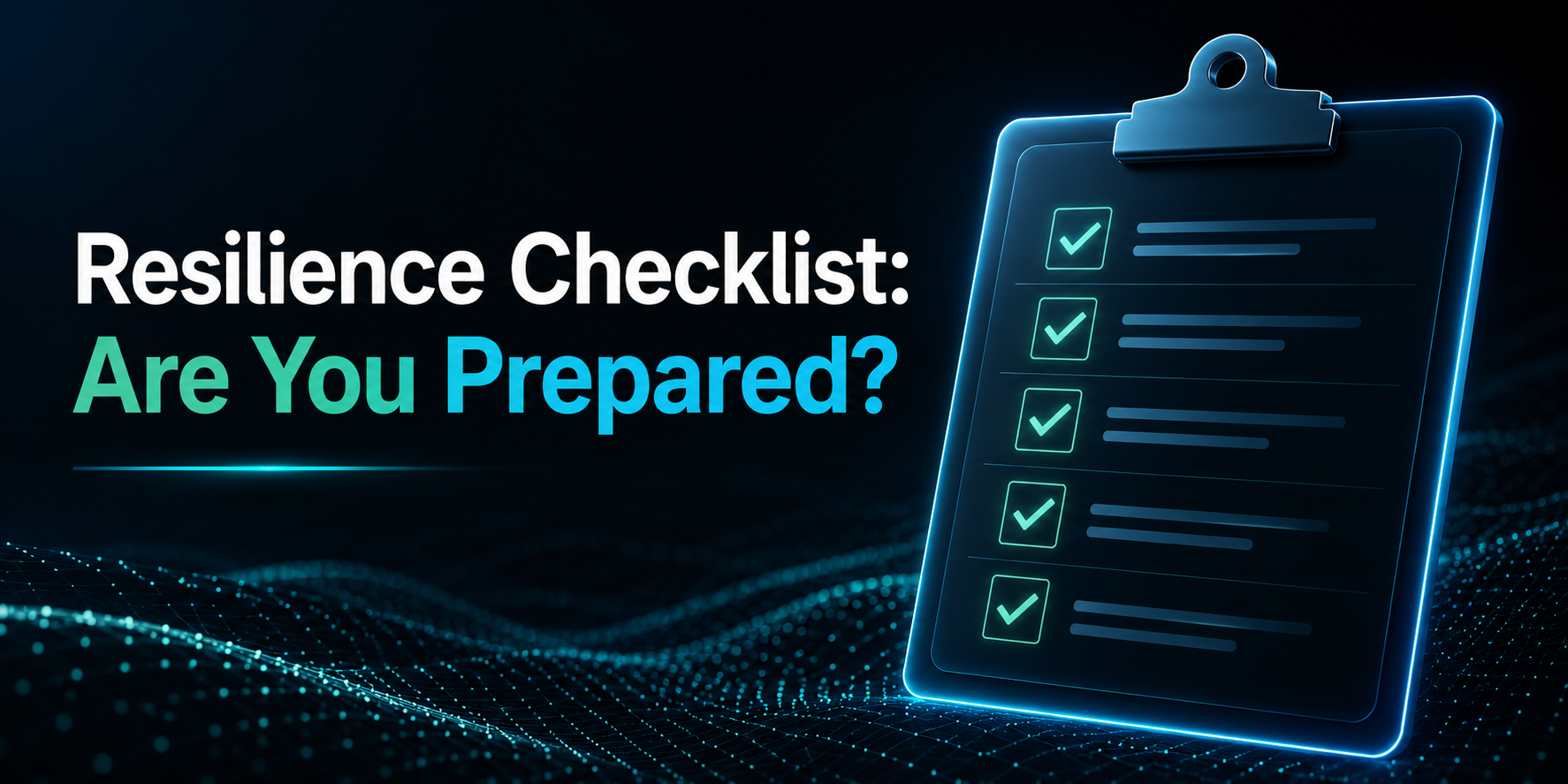
This cloud resilience checklist explains the most important areas businesses should review to strengthen their cloud environment.
What Is Cloud Resilience?
Cloud resilience is the ability of a cloud environment to continue operating during failures, attacks, or unexpected disruptions. A resilient cloud system can detect problems quickly, respond efficiently, and restore services with minimal interruption.
Cloud resilience combines several areas, including:
- Disaster recovery
- Data backup
- Cybersecurity
- High availability
- Infrastructure redundancy
- Risk management
- Monitoring and response planning
Many businesses confuse cloud resilience with backup storage. Backups are only one part of resilience. True resilience involves preparing the entire cloud environment to handle disruptions without major operational impact using approaches supported by iNTEL-CS cloud strategies and frameworks.
For companies in Dubai, resilience is especially important because businesses often operate in highly competitive industries where downtime can affect customer trust and revenue.
Why Cloud Resilience Matters for Modern Businesses
Businesses today depend heavily on digital services. Even a short interruption can create serious consequences. If a website goes offline, customers may leave. If internal systems fail, employees may lose productivity. If sensitive data becomes unavailable, business operations can stop completely.
Cloud resilience provides several important benefits:
Reduced Downtime
A resilient system recovers faster during outages. This minimizes operational disruption and protects revenue.
Better Customer Trust
Customers expect services to remain available at all times. Reliable systems improve customer confidence.
Improved Data Protection
Strong resilience planning protects business-critical information from accidental loss, ransomware, and hardware failure.
Regulatory Compliance
Many industries require businesses to maintain secure and recoverable systems. Cloud resilience supports compliance goals.
Stronger Cybersecurity Response
Resilient cloud systems can isolate threats and recover faster after cyber incidents.
Cloud Resilience Checklist
The following checklist highlights the most important areas businesses should evaluate to improve cloud resilience and maintain operational stability during unexpected disruptions using Cloud Computing Solutions that support secure, scalable, and reliable infrastructure.
1. Identify Critical Business Applications
The first step in building a resilient cloud environment is understanding which systems are most important to daily operations.
Not every application requires the same level of protection. Businesses should focus on identifying systems that directly support operations, customer experience, and revenue generation.
This may include:
- Customer-facing applications
- Financial systems
- Communication platforms
- Databases
- Internal operational tools
- eCommerce services
Organizations should ask several important questions during this process:
- Which applications are essential for daily business operations?
- Which systems directly generate revenue?
- Which platforms store sensitive customer or company data?
- What would happen if these systems became unavailable?
Answering these questions helps businesses prioritize cloud resilience investments and create stronger recovery strategies.
Best Practice
Create a detailed inventory of critical applications and rank them based on operational importance, recovery priority, and business impact.
2. Build a Strong Backup Strategy
Backups are one of the most important foundations of cloud resilience.
Businesses should never rely on a single backup copy. A reliable backup strategy includes multiple secure copies stored across different environments or regions to reduce the risk of permanent data loss.
A strong backup strategy should include:
- Automatic backup scheduling
- Encrypted backup storage
- Multi-region backup storage
- Regular recovery testing
- Ransomware protection measures
- Backup version history
Many organizations assume their backups are working correctly until an emergency occurs. Unfortunately, backup failures are often discovered during real incidents when recovery becomes urgent.
Regular testing ensures backup systems remain functional and accessible when needed most.
Best Practice
Perform routine backup recovery tests to verify that data can be restored successfully without corruption, delays, or missing information.
3. Implement Disaster Recovery Planning
Disaster recovery planning explains how cloud systems and business operations will recover after a major disruption using modern Disaster Recovery Solutions designed to ensure fast restoration and minimal downtime.
Without a proper disaster recovery strategy, even a small incident can lead to long periods of downtime, data loss, and operational delays. A structured recovery plan helps businesses respond quickly and restore critical services with minimal interruption.
Common cloud-related disasters include:
- Data center failures
- Cyberattacks
- Power outages
- Human errors
- Hardware failures
- Software corruption
An effective disaster recovery plan should clearly define recovery procedures, technical responsibilities, escalation processes, and communication methods during emergencies.
Important Disaster Recovery Components
Recovery Time Objective (RTO)
Recovery Time Objective measures how quickly systems and applications must be restored after an outage. Businesses should define acceptable downtime limits for each critical service.
Recovery Point Objective (RPO)
Recovery Point Objective measures the maximum amount of data loss a business can tolerate during an incident. This helps determine backup frequency and recovery requirements.
Recovery Roles
Every employee involved in disaster recovery should understand their specific responsibilities. Clear role assignments improve coordination during emergencies.
Recovery Testing
Disaster recovery plans should be tested regularly through simulations, failover exercises, and operational drills. Testing helps identify weaknesses before real incidents occur.
Best Practice
Document all disaster recovery procedures clearly and store secure copies in multiple accessible locations for emergency use.
4. Use Multi-Region Cloud Infrastructure
Depending on a single cloud region creates unnecessary operational risk.
If one data center or cloud region experiences an outage, applications hosted only in that location may become unavailable to users. Multi-region cloud infrastructure improves resilience by distributing systems and workloads across different geographic locations.
This approach helps businesses maintain service continuity even if one region experiences technical problems.
Benefits of Multi-Region Deployment
- Better application availability
- Faster disaster recovery
- Reduced impact from outages
- Improved infrastructure redundancy
- Better performance for users in different regions
Many cloud providers also offer automated failover capabilities that redirect traffic to healthy regions during service disruptions.
Best Practice
Host critical applications and data across at least two independent cloud regions to improve availability and reduce downtime risks.
5. Enable High Availability Architecture
High availability architecture helps cloud systems remain operational even when individual components fail.
The main goal of high availability is to reduce downtime and maintain uninterrupted access to applications and services. This is achieved by eliminating single points of failure within the infrastructure.
When one server, database, or network component fails, another system automatically takes over to keep services running smoothly.
Common High Availability Features
- Load balancing
- Redundant servers
- Automatic failover
- Clustered databases
- Distributed storage systems
Businesses that depend on continuous uptime, such as eCommerce platforms, financial services, healthcare providers, and customer-facing applications, should prioritize high availability infrastructure.
High availability also improves user experience by reducing service interruptions and maintaining stable application performance.
Best Practice
Review cloud infrastructure regularly to identify and remove single points of failure that could cause unexpected downtime.
6. Strengthen Cloud Security Controls
Cloud resilience and cybersecurity are closely connected.
A cyberattack can quickly become a serious business continuity problem if organizations cannot contain threats or recover systems efficiently. Strong security controls help reduce the risk of unauthorized access, data breaches, ransomware attacks, and operational disruptions.
Businesses should implement layered security strategies to protect cloud environments from both external and internal threats.
Essential Security Checklist
- Multi-factor authentication
- Strong password policies
- Network segmentation
- Endpoint protection
- Cloud firewalls
- Identity and access management
- Encryption for stored and transmitted data
- Continuous security monitoring
Security misconfigurations remain one of the leading causes of cloud incidents. Incorrect permissions, exposed storage, and weak authentication settings can create serious vulnerabilities.
Regular security reviews help organizations identify weaknesses before attackers can exploit them.
Best Practice
Audit cloud security settings frequently and remove unnecessary permissions, inactive accounts, and outdated access privileges.
7. Monitor Cloud Systems Continuously
Continuous monitoring is an important part of cloud resilience because it helps businesses detect issues early before they turn into major incidents.
Modern cloud environments are complex and involve many interconnected systems. Without proper monitoring, small performance issues or security threats can go unnoticed until they cause downtime or data loss.
Monitoring should cover all key areas of the cloud infrastructure, including:
- Server performance
- Network traffic
- Application availability
- Security threats
- Resource usage
- User activity
Automated alerts play a major role in improving response time. When unusual activity or system failures occur, alerts notify technical teams immediately so they can take action quickly.
Benefits of Continuous Monitoring
- Faster incident detection
- Reduced downtime
- Better system visibility
- Improved performance management
- Early warning of cyber threats
Continuous monitoring helps businesses maintain control over cloud environments and ensures that potential risks are identified at an early stage.
Best Practice
Use centralized monitoring dashboards that provide a unified view of all cloud services in one place for faster analysis and response.
8. Automate Incident Response Processes
Manual incident response is often slow and inconsistent, especially during high-pressure situations. Automation improves both speed and accuracy when dealing with cloud disruptions.
By automating key response actions, businesses can reduce human error and ensure that critical steps are executed immediately when an incident occurs.
Areas Suitable for Automation
- Backup scheduling
- Threat detection
- Security alerts
- Failover activation
- System patching
- Resource scaling
Automation helps organizations maintain consistent response procedures and reduces dependency on manual intervention during emergencies.
It also improves system reliability by ensuring that predefined actions are triggered instantly when specific conditions are met.
Best Practice
Automate repetitive monitoring and recovery tasks wherever possible to improve response time and strengthen overall cloud resilience.
9. Test Resilience Plans Regularly
A cloud resilience plan is only effective when it is tested in real conditions. Without testing, businesses may assume their systems are ready, but fail during an actual incident.
Regular testing helps organizations identify weak points in their cloud setup, improve response time, and ensure teams understand their roles during emergencies.
Testing also improves confidence in recovery systems and ensures that backups, failover processes, and disaster recovery procedures work as expected.
Common Testing Methods
Backup Recovery Testing
This method checks whether backup data can be restored correctly. It ensures that backups are complete, accessible, and usable during emergencies.
Disaster Recovery Simulations
These simulations test how teams respond during real-world outage scenarios. They help evaluate communication, decision-making, and recovery speed.
Penetration Testing
Penetration testing identifies security vulnerabilities in cloud systems by simulating cyberattacks. This helps strengthen defenses before real attackers can exploit weaknesses.
Failover Testing
Failover testing ensures that systems automatically switch to backup infrastructure when primary systems fail. This is important for maintaining uptime.
Best Practice
Schedule resilience testing multiple times per year to ensure systems remain reliable, updated, and ready for unexpected disruptions.
10. Protect Against Ransomware Attacks
Ransomware is one of the most serious threats to cloud environments today. Attackers use malicious software to encrypt data, block access to systems, and demand payment to restore operations.
A strong cloud resilience strategy must include dedicated protection against ransomware, as recovery can be difficult without proper preparation.
Ransomware Protection Checklist
- Use immutable backups that cannot be changed or deleted
- Restrict administrative privileges to reduce attack impact
- Enable endpoint detection and response tools
- Segment critical systems to limit spread
- Train employees to recognize phishing attacks
- Monitor systems for unusual or suspicious activity
These measures help reduce the risk of infection and improve recovery speed if an attack occurs.
Best Practice
Maintain isolated and secure backup copies that cannot be accessed or modified by attackers, ensuring safe recovery even during severe ransomware incidents.
11. Manage User Access Carefully
User access management is a critical part of cloud resilience because it directly affects how securely systems and data are protected.
When users have more access than they need, the risk of accidental changes, data leaks, and insider threats increases. Proper access control ensures that each user only has the permissions required to perform their job.
This approach reduces security risks and also helps prevent operational disruptions caused by human error or misuse of privileges.
Access Management Checklist
- Use role-based access control (RBAC)
- Remove inactive or unused accounts
- Monitor privileged or admin accounts
- Apply least privilege principles
- Require multi-factor authentication (MFA)
Role-based access control ensures users are grouped based on job functions, making permission management simpler and more secure.
Best Practice
Review user permissions regularly, especially when employees change roles, departments, or leave the organization. This helps maintain strong security and reduces unnecessary access risks.
12. Keep Software and Systems Updated
Keeping software and systems updated is essential for maintaining cloud resilience and reducing security risks.
Outdated software can contain vulnerabilities that attackers may exploit. It can also lead to performance issues, system instability, and compatibility problems within cloud environments.
A structured patch management process helps businesses keep systems secure, stable, and up to date.
Patch Management Checklist
- Install security updates as soon as they are released
- Monitor vendor security advisories regularly
- Test updates before full deployment
- Remove unsupported or legacy software
- Automate patching where possible
Testing updates before deployment helps prevent unexpected system failures caused by incompatible updates.
Best Practice
Maintain a consistent and well-planned update schedule for all cloud systems, applications, and infrastructure components to ensure long-term stability and security.
13. Document Cloud Infrastructure Clearly
Clear documentation is an important part of cloud resilience because it helps technical teams respond quickly during incidents.
When systems fail, teams need immediate access to accurate information about how the cloud environment is structured. Without proper documentation, recovery becomes slower, confusion increases, and downtime may last longer than necessary.
Good cloud documentation ensures that every part of the infrastructure is easy to understand, maintain, and restore when needed.
Technical teams should maintain updated records of:
- Cloud architecture
- Network configurations
- Security policies
- Backup schedules
- Recovery procedures
- Contact information
This information helps teams quickly identify issues and take the correct actions during emergencies.
Poor or outdated documentation can create delays, especially when key personnel are unavailable during an incident.
Best Practice
Store all cloud documentation in a secure and centralized location, and update it immediately after any infrastructure change to ensure accuracy and reliability.
14. Train Employees on Cloud Resilience
Cloud resilience is not only about technology. People play a major role in maintaining system stability and preventing disruptions.
Employees often interact with cloud systems daily, which means their actions can directly impact security and performance. Proper training helps reduce mistakes, improve awareness, and strengthen overall resilience.
Human error remains one of the most common causes of cloud incidents, including misconfigurations, phishing attacks, and accidental data exposure.
Important Training Areas
- Cybersecurity awareness
- Phishing prevention
- Incident reporting procedures
- Password security best practices
- Recovery and response procedures
- Remote work security guidelines
Regular training ensures employees understand risks and know how to respond correctly during unexpected events.
It also helps build a security-focused culture within the organization.
Best Practice
Provide continuous training programs for all employees, not just technical teams, to ensure consistent awareness of cloud resilience and cybersecurity practices.
15. Evaluate Third-Party Vendor Risks
Many businesses rely on third-party vendors for cloud platforms, software solutions, APIs, and system integrations. While these services improve efficiency and scalability, they also introduce additional risks.
If a vendor experiences downtime, security breaches, or operational failures, it can directly impact your own business operations. This makes third-party risk evaluation an important part of cloud resilience planning.
Businesses should not assume that external providers will always maintain perfect uptime or security. Instead, they should actively assess vendor reliability and preparedness.
Vendor Risk Checklist
- Review vendor security standards and policies
- Assess historical uptime and reliability performance
- Verify compliance certifications and industry standards
- Understand support response times during incidents
- Evaluate backup and disaster recovery capabilities
These checks help businesses understand how well a vendor can handle disruptions and how quickly they can recover services when issues occur.
Best Practice
Include all critical third-party vendors in your resilience strategy, incident response plans, and recovery testing to ensure coordinated action during disruptions.
16. Create a Business Continuity Plan
A business continuity plan (BCP) ensures that essential operations can continue during and after a disruption. While cloud resilience focuses on technology, business continuity focuses on keeping the entire organization functional.
Both work together to reduce downtime, maintain customer trust, and ensure business stability during unexpected events.
A strong continuity plan explains how key business functions will continue when normal operations are affected.
Business Continuity Planning Areas
- Remote work procedures
- Communication strategies during incidents
- Alternative workflows and manual processes
- Customer support continuity plans
- Supply chain coordination and backup options
These elements help businesses stay operational even when primary systems or locations are unavailable.
A well-structured continuity plan reduces confusion and ensures teams know exactly what to do during disruptions.
Best Practice
Review and update the business continuity plan regularly as business operations, technology, and risk environments change over time.
17. Monitor Compliance Requirements
Businesses that operate in regulated industries must follow strict compliance requirements related to data security, privacy, and system reliability. These rules are designed to protect customer information and ensure responsible handling of digital systems.
If compliance is ignored, businesses may face legal penalties, financial losses, and reputational damage. More importantly, non-compliance can weaken cloud resilience by creating gaps in security and operational processes.
Cloud resilience strategies should always align with relevant regulatory frameworks to ensure both security and legal protection.
Common Compliance Areas
- Data privacy regulations
- Data retention policies
- Access management controls
- Incident reporting requirements
- Encryption standards for data protection
Each of these areas plays a role in ensuring that cloud systems remain secure, traceable, and reliable during normal operations and disruptions.
Compliance also helps businesses build structured processes that improve consistency and reduce operational risk.
Best Practice
Work closely with compliance officers and legal teams to ensure that all cloud resilience strategies meet industry regulations and internal governance standards.
18. Measure Cloud Resilience Performance
Measuring cloud resilience performance is important for understanding how well systems respond to disruptions over time.
Without proper measurement, businesses cannot identify weaknesses or track improvements in their cloud infrastructure. Performance tracking helps organizations make informed decisions and strengthen their resilience strategy.
Regular monitoring of key metrics ensures that systems remain reliable, efficient, and prepared for unexpected incidents.
Important Metrics
- System uptime
- Recovery speed after incidents
- Backup success rates
- Incident response times
- Frequency of security incidents
- Overall service availability
These metrics provide a clear picture of how well cloud systems perform under normal and stressful conditions.
Tracking them over time helps businesses identify patterns, detect weaknesses, and improve planning for future incidents.
Best Practice
Review cloud resilience performance reports regularly with both technical teams and leadership to ensure continuous improvement and alignment with business goals.
Final Thoughts
Unexpected disruptions can happen at any time. Cyberattacks, outages, hardware failures, and human mistakes all have the potential to interrupt business operations.
Cloud resilience helps organizations prepare for these situations before they occur. A strong resilience strategy focuses on prevention, recovery, continuity, and long-term operational stability.
Businesses that follow a structured cloud resilience checklist can reduce downtime, improve security, and recover faster from incidents.
The most effective approach is continuous improvement. Cloud environments evolve constantly, and resilience planning should evolve with them.
By reviewing backup systems, disaster recovery plans, security controls, monitoring tools, and operational procedures regularly, businesses can build stronger and more reliable cloud infrastructure prepared for unexpected challenges.