Outsourced Cloud Operations for Faster Business Growth

Outsourced Cloud Operations for Faster Business Growth

A failed deployment at the start of the business day, a cloud cost spike discovered weeks too late, or a security alert without a clear owner can quickly turn IT into an operational bottleneck. Outsourced cloud operations give organizations a disciplined way to prevent those issues while building the capacity to modernize faster. For enterprises across the UAE and Middle East, the objective is to establish accountable, always-on operations that improve performance, control cost, and keep transformation programs moving.

Why Internal IT Teams Reach a Breaking Point

Most IT teams are not short on effort. They are short on uninterrupted time. A team responsible for business-critical applications, employee support, infrastructure availability, security coordination, vendor management, and cloud projects will eventually be forced to prioritize urgent work over strategic progress.

This is especially visible during cloud migration, legacy modernization, or a VMware transition. The internal team may have strong knowledge of the organization’s applications and business processes, but it may not have the specialist capacity to manage AWS landing zones, container platforms, cost governance, automated monitoring, and incident response at the same time. Hiring every required specialist internally is expensive, slow, and difficult to sustain.

The result is familiar: projects slip, manual work expands, risks accumulate, and cloud environments become harder to manage than the infrastructure they were meant to replace. A focused managed operations model changes that equation by assigning defined operational responsibilities to a partner with the people, processes, and platforms to perform them consistently.

What Outsourced Cloud Operations Should Deliver

Outsourced cloud operations should not be measured by the number of tickets closed. The right operating model creates measurable business outcomes: higher availability, faster incident resolution, predictable operating costs, improved security visibility, and more time for internal teams to lead innovation.

At a practical level, the scope can include 24/7 infrastructure monitoring, cloud operations, backup oversight, patch management, identity administration, performance optimization, and incident management. For cloud-native environments, it can also cover container monitoring, serverless workload observability, infrastructure-as-code governance, and FinOps reporting.

The value comes from connecting these activities rather than treating them as isolated services. A monitoring alert should create a defined response path. A recurring performance issue should produce a root-cause analysis and an improvement plan. A cloud cost anomaly should be investigated before it becomes a budget surprise. Operations become a source of intelligence, not a reactive help desk.

For organizations with regional or global operations, around-the-clock coverage is particularly valuable. Critical systems do not wait for office hours, and neither should the capability to detect, triage, and escalate a problem.

The Difference Between Staffing and Managed Accountability

There is an important distinction between augmenting a team and outsourcing an operation. Staff augmentation can help fill a skills gap, but the customer often retains responsibility for process design, service coordination, reporting, and outcomes. That can be the right choice for a defined project or a highly mature internal operating model.

Managed operations place greater accountability with the service provider. The provider works against agreed service levels, escalation paths, operating procedures, reporting rhythms, and continuous improvement targets. It brings an established model rather than simply additional hands.

For CIOs and IT directors, this distinction matters. Technology decisions stay with you; the operational burden that slows those decisions moves to the partner.

Where a Managed Operations Model Creates the Most Value

The case for outsourcing is strongest when the operating environment is complex, business-critical, or changing quickly. Organizations running hybrid infrastructure often need consistent management across on-premises systems, cloud workloads, identities, networks, and application dependencies. Fragmented ownership creates blind spots precisely where resilience is most needed.

Cloud environments also demand ongoing attention after migration. Moving workloads to AWS is only the first milestone. Teams must continuously tune performance, manage access, monitor utilization, optimize spend, apply security controls, and improve recovery readiness. Without that operating discipline, cloud flexibility can turn into uncontrolled complexity.

A managed model is also effective when a business is introducing new capabilities such as AI workloads, GPU-enabled streaming infrastructure, containerized applications, or serverless services. These technologies can accelerate delivery, but they require specialized operational knowledge. The internal team should be able to focus on product value and business adoption while certified specialists maintain the underlying environment.

Public-sector and enterprise organizations may have an additional requirement: governance. Clear audit trails, documented controls, role-based access, structured change management, and reliable reporting are central to operational confidence. A capable partner builds those disciplines into daily service delivery rather than treating them as an afterthought.

How to Choose an Outsourced Cloud Operations Partner

The right partner can take clear ownership of your environment while working effectively with your internal teams, business stakeholders, and existing vendors. That matters more than the length of its service list.

Start with technical depth that matches the roadmap. If cloud modernization is a priority, look for certified cloud architects, proven migration capability, and experience operating the platforms you plan to use. An AWS Advanced Partner, for example, brings a level of validated expertise that can reduce execution risk for organizations modernizing on AWS.

Then examine the operating model. Ask how the provider handles monitoring, alert triage, major incidents, change control, service reporting, and root-cause analysis. Request clarity on what happens after an alert is generated, who communicates with stakeholders, and how recurring problems are eliminated. Generic assurances are not enough. Effective operations depend on defined procedures and named accountability.

Security should be embedded in the service, not sold as a separate add-on. The provider should understand least-privilege access, logging, patching, backup validation, vulnerability management, security posture monitoring, and security incident escalation. It should also work within your governance requirements and identify where responsibilities begin and end.

Finally, assess local relevance. Global cloud expertise matters, but regional organizations benefit from a partner that understands local operating expectations, can engage directly with stakeholders, and can support complex transformation programs without unnecessary handoffs. Dubai-based enterprises often need both international technical standards and responsive, on-the-ground coordination.

Build the Transition Around Outcomes, Not Tickets

A successful transition to managed operations begins with a clear baseline. Before services move, document the current estate, critical applications, dependencies, access controls, support arrangements, and known risks. This creates a practical view of what must be monitored and what must improve.

The next step is to define service outcomes. Availability targets matter, but they are not enough. Establish response and resolution expectations by service criticality, reporting requirements, cost optimization goals, backup recovery objectives, and a process for continuous improvement. If an application supports revenue, citizen services, or field operations, its business impact should guide the operational design.

Transition should be phased where possible. Start with discovery and documentation, then establish monitoring and incident workflows before moving into optimization and modernization activities. This approach avoids the common mistake of outsourcing an unstable environment without first creating visibility and control.

Governance keeps the model aligned over time. Regular operational reviews should cover service performance, incidents, risks, capacity, cost trends, security findings, and improvement actions. Executive stakeholders need concise insight into outcomes, while technical owners need enough detail to make decisions quickly.

Keep Strategic Ownership In-House

Outsourcing does not mean delegating the organization’s technology strategy. Architecture priorities, business process knowledge, product direction, and investment decisions should remain closely connected to internal leadership. The partner operates and improves the platform, while the organization retains ownership of its business outcomes.

This balance is where the model works best. Internal teams focus on high-value initiatives such as digital products, customer experience, data strategy, and modernization priorities. The managed operations team provides the reliability, visibility, and technical depth needed to execute those initiatives with confidence.

iNTEL-CS combines certified cloud expertise, modernization delivery, and 24/7 managed support to help organizations make that shift without sacrificing control. From AWS migration and cloud-native operations to infrastructure optimization and AI-ready environments, the emphasis is on practical execution and measurable progress, as iNTEL-CS success stories show.

The strongest operational partnerships do more than keep systems running. They create the stable foundation that lets your organization release faster, respond sooner, and invest its best technical talent in what comes next.

Ready to free your team from day-to-day operations? Request a free consultation and our AWS-certified team will assess your environment and design a managed operations model built around your business outcomes.
AWS MAP Versus Self Migration: Which Fits?

AWS MAP Versus Self Migration: Which Fits?

A migration plan can look efficient on a spreadsheet and still fail under production pressure. The real choice in AWS MAP versus self migration is whether your organization has the operating model, migration discipline, cloud skills, and capacity to move critical workloads without slowing the business or creating new risks.

For enterprises, public-sector teams, and mid-market organizations with regional operations, the decision affects more than infrastructure. It determines how quickly applications can be modernized, how consistently security controls are applied, and whether the cloud environment is ready to perform after cutover.

What AWS MAP Brings to a Migration Program

AWS Migration Acceleration Program, commonly known as AWS MAP, is a structured approach designed to help eligible organizations move workloads to AWS with a defined framework, specialized expertise, and potential AWS-led financial support. It is not a one-size-fits-all service or an automatic funding mechanism. Eligibility, workload scope, business case, and program requirements matter.

The value of MAP is its discipline. A well-run engagement typically moves through assessment, mobilization, and migration and modernization activities. That sequence helps teams build a business case, map dependencies, identify risks, establish a landing zone, and create migration waves that protect business continuity.

For organizations managing large application estates, VMware environments, aging infrastructure, or business-critical databases, this structure can shorten the path from cloud strategy to measurable execution. It also creates a clearer foundation for future initiatives such as containerization, serverless adoption, AI workloads, automated operations, and data platforms.

An AWS Advanced Partner can add practical value by translating the framework into an executable regional transformation plan. That includes workload discovery, architecture design, security guardrails, migration factory operations, testing, cutover planning, and managed support once workloads are live. iNTEL-CS applies this delivery model to help organizations move beyond infrastructure relocation and build cloud environments that can support long-term modernization.

When Self Migration Makes Sense

Self migration is not inherently the wrong choice. Organizations with mature cloud engineering teams, proven governance processes, and a contained workload scope may be able to migrate independently with strong results.

This approach is often suitable when the environment is straightforward, the application has limited dependencies, and the internal team already understands AWS networking, identity, security, backup, observability, cost management, and disaster recovery. A cloud-native software company moving a small set of noncritical services may gain more from moving quickly on its own than from introducing a formal program.

Self migration can also offer direct control over priorities. Internal teams decide how to sequence workloads, select tools, and evolve architecture without coordinating with an external delivery team. For organizations that already operate a cloud center of excellence, this can be efficient.

The challenge is that migration work competes with daily operations. The same engineers responsible for production stability, application releases, security issues, and user requests are often asked to inventory servers, resolve hidden dependencies, test data replication, and support cutovers. The migration may begin with momentum, then stall when operational demands increase.

AWS MAP Versus Self Migration: The Core Differences

The most meaningful difference between AWS MAP versus self migration is execution capacity. MAP-supported delivery brings a structured program with experienced migration resources, while self migration depends on internal capability being available and sufficiently deep across every workstream.

Speed is another dividing line. Internal teams may move quickly on familiar and low-risk workloads. At scale, however, migration velocity depends on repeatable processes: discovery, wave planning, application remediation, security validation, cutover runbooks, rollback procedures, and post-migration optimization. A migration factory model makes those activities repeatable rather than reinvented for every application.

Cost requires a more careful comparison. Self migration may appear less expensive because external implementation fees are limited. That calculation often excludes internal labor, delayed projects, extended data-center costs, rework caused by incomplete discovery, and the cost of running inefficient cloud resources after migration. MAP may reduce some migration-related financial barriers for qualifying projects, but its larger financial value is often better planning, faster execution, and fewer avoidable errors.

Risk also changes shape. Moving a server is rarely the difficult part. The harder work is preserving application behavior, security posture, performance, and compliance across a connected estate. A formal program can surface issues earlier, particularly around identity integration, network segmentation, database dependencies, data classification, and recovery objectives.

The Decision Factors That Matter Most

A useful migration decision starts with workload reality, not a preferred delivery model. Leaders should examine the size and complexity of the environment, the urgency of the business objective, and the internal resources that can be dedicated for the full duration of the program.

Complexity rises quickly when an estate includes legacy applications, unsupported operating systems, tightly coupled databases, custom integrations, remote sites, third-party platforms, or VMware infrastructure that needs a long-term modernization route. A lift-and-shift may be appropriate for some workloads, but it should not become a default that carries technical debt into AWS without a plan to address it.

Security and governance deserve equal weight. Organizations in the UAE and broader Middle East may need to account for data residency expectations, sector regulations, identity requirements, auditability, and regional connectivity. The AWS shared responsibility model does not remove these obligations. It requires the customer to configure and operate cloud controls correctly.

Internal skill depth should be assessed honestly. Certification counts are useful, but they do not automatically prove experience with large-scale cutovers, hybrid networking, landing zones, migration tooling, or incident management. A team may be highly capable of operating AWS workloads yet still benefit from specialist support for a time-sensitive migration program.

Finally, consider what happens after the last workload moves. Cloud migration is not the finish line. Without FinOps practices, 24/7 monitoring, patch management, backup validation, performance tuning, and architecture reviews, cloud spend and operational complexity can grow faster than expected.

Choosing MAP for Business-Critical Transformation

AWS MAP is generally the stronger fit when migration is strategic, time-bound, and broad in scope. It is especially relevant for organizations exiting a data center, responding to hardware refresh pressure, modernizing VMware estates, improving resilience, or preparing applications for faster digital product delivery.

It is also valuable when executive leadership needs a defensible transformation plan. A structured assessment can connect technical inventory to financial analysis, migration priorities, target architecture, security requirements, and expected business outcomes. That creates a stronger basis for investment decisions than a server-by-server estimate.

The program does not eliminate customer involvement. Internal stakeholders still need to make timely decisions, validate application behavior, define risk tolerance, and own business outcomes. The difference is that they are supported by a disciplined delivery framework and specialists who have handled the common failure points before.

Choosing Self Migration Without Creating Hidden Debt

Self migration can be a smart option when it is deliberately limited. Start with low-risk workloads that help the team validate landing-zone controls, operational processes, and cost assumptions. Use those early moves to establish standards for tagging, access management, logging, backup, monitoring, and infrastructure automation.

Avoid treating early success as proof that every workload should follow the same path. A simple web application and a business-critical ERP platform may have entirely different dependency, availability, and data requirements. Reassess the strategy as migration waves become more complex.

A hybrid approach is often the most practical answer. An internal team can retain ownership of cloud architecture and ongoing operations while using MAP-aligned expertise for assessment, landing-zone design, complex migrations, modernization, and knowledge transfer. This preserves control while reducing pressure on internal teams during the highest-risk stages.

The right route is the one that gives your organization a secure, manageable, and commercially sound AWS environment after migration day. Before committing, test the plan against a realistic question: if a critical workload fails during cutover, does your team have the people, runbooks, visibility, and decision authority to recover quickly? The answer usually makes the next step clear.

Not sure which route fits your environment? Request a free migration assessment and our AWS-certified architects will help you evaluate MAP eligibility, workload complexity, and the right migration path.

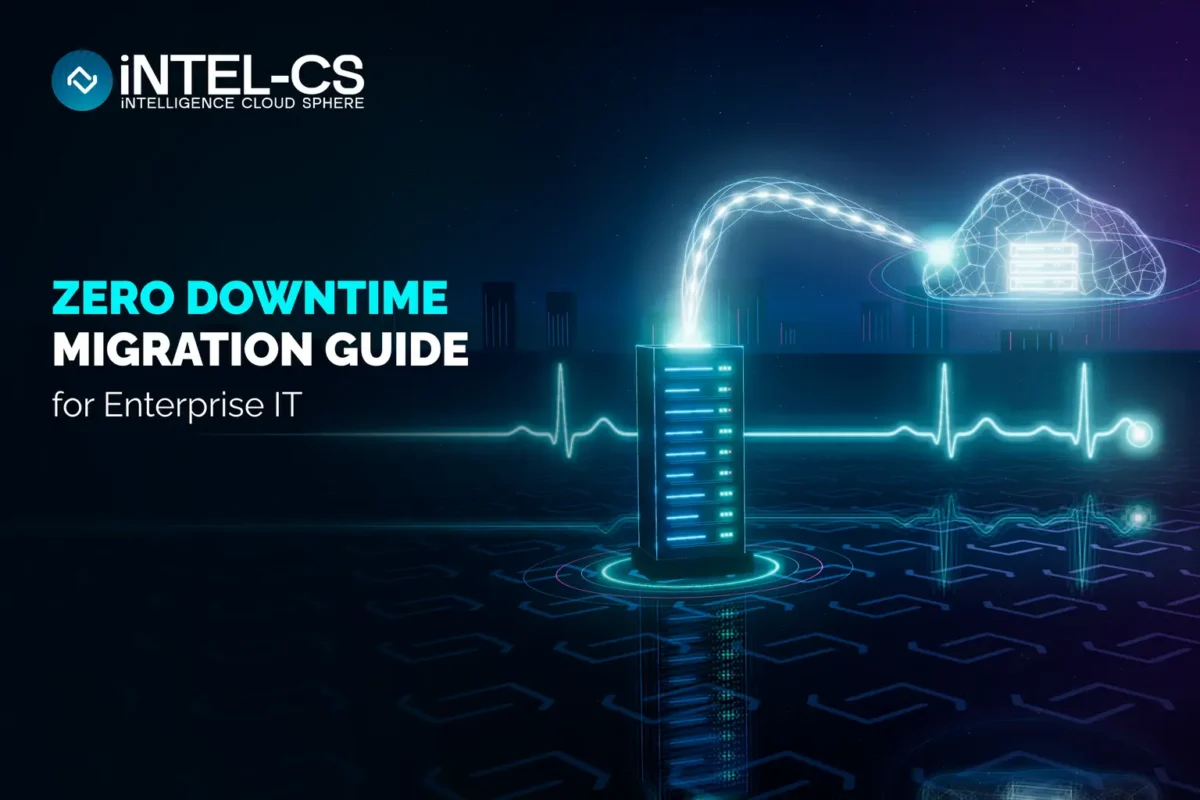
Zero Downtime Migration Guide for Enterprise IT

Zero Downtime Migration Guide for Enterprise IT

A failed migration is rarely caused by moving data alone. It happens when an application’s dependencies, user sessions, integrations, security controls, and operational ownership are treated as secondary details. This zero downtime migration guide gives enterprise IT leaders a practical framework for moving critical workloads while keeping business services available, measurable, and under control.

For organizations running regional operations, public-facing platforms, or always-on internal systems, zero downtime is not a marketing promise. It is an engineering objective supported by architecture, disciplined testing, observability, and a rollback plan that works under pressure.

What Zero Downtime Actually Means

Zero downtime does not mean that no infrastructure changes occur. It means users continue to complete the business actions that matter during the migration: placing orders, accessing portals, processing payments, retrieving records, or running core operational workflows.

The acceptable level of disruption depends on the workload. A customer-facing banking platform may require no lost transactions and no visible interruption. An internal reporting platform may tolerate a brief maintenance window outside business hours. Define the target in business terms before selecting a migration pattern.

Your service-level objective should cover availability, response time, data-loss tolerance, and transaction integrity. Recovery point objective (RPO) defines how much data loss is acceptable. Recovery time objective (RTO) defines how quickly service must recover. For truly continuous operations, the practical target is often near-zero RPO with a rapid, tested failback capability.

Start With Application Discovery, Not Server Inventory

A server inventory identifies what you own. It does not reveal how your business services behave. Before moving a workload, map the complete application estate: databases, APIs, identity providers, file shares, message queues, batch jobs, DNS records, certificates, third-party connections, monitoring agents, and upstream or downstream dependencies.

This is where many migrations lose momentum. A virtual machine may appear easy to replicate, but its application can depend on a legacy license server, a hard-coded IP address, or a database process that runs after midnight. Moving the compute layer without understanding those dependencies creates avoidable outages.

Classify applications by business criticality and migration complexity. A useful grouping includes low-risk standalone systems, moderately connected applications, tightly coupled business platforms, and workloads that require modernization before migration. This supports a migration wave plan that builds confidence early without using critical production systems as the first experiment.

For VMware estates, assess whether each workload should be rehosted temporarily, replatformed, or rebuilt as containers or cloud-native services. Rehosting can accelerate an exit from aging infrastructure. However, retaining every legacy design in the cloud can preserve high operational overhead and limit resilience gains. The right decision depends on urgency, technical debt, compliance needs, and the expected lifespan of the application.

Build a Landing Zone That Is Ready for Production

A zero-downtime migration cannot succeed if the target environment is unfinished. Before data replication starts, establish a production-ready cloud landing zone with account structure, network segmentation, identity and access controls, encryption, logging, backup policies, cost governance, and centralized monitoring. Gaps in this foundation are best found early through a cloud readiness assessment.

This foundation should also define who owns what after cutover. Cloud migration is not complete when workloads start in AWS. The operating model must cover incident response, patching, access approvals, capacity management, security monitoring, and cost optimization. Without clear ownership, teams can move quickly during migration and then inherit unmanaged risk afterward.

Design for failure from the beginning. Use multiple availability zones where the application architecture supports it, eliminate single points of failure, and validate backup restoration rather than assuming backups are usable. For critical services, consider active-active or active-passive patterns across environments. Active-active can improve availability and distribute load, but it adds complexity around data consistency, session handling, and operational troubleshooting.

Choose the Right Migration Pattern

The migration method should match the application, not the other way around. Replication-based migration is often effective for virtual machines and databases when the priority is reducing the cutover window. Data is copied continuously to the target, then a final synchronization occurs before traffic shifts.

For stateless web and API services, blue-green deployment is often the stronger pattern. The new environment runs in parallel with the existing production environment. After validation, traffic is shifted gradually through DNS, load balancers, or application routing controls. If an issue appears, traffic can return to the known-good environment quickly.

Canary releases are useful when you need to prove behavior under real user demand. A small percentage of traffic is directed to the new platform first, while error rates, latency, user journeys, and resource consumption are monitored closely. This is especially valuable when modernization includes containerization, serverless components, or major application changes.

Database migration requires the most caution. A cutover can be technically fast yet still fail if writes occur in both environments without a reliable synchronization model. Define a single source of truth during every phase. Where possible, use change data capture, replication, and controlled write cutover to minimize risk. For highly transactional systems, involve application owners and database specialists early rather than treating the database as infrastructure.

Validate the Cutover Before Production Day

The best cutover plans are rehearsed. Conduct at least one full migration rehearsal using production-like data volumes, integrations, permissions, and traffic behavior. A test that only confirms a server can boot does not prove that the business service works.

Validation should include functional testing, performance testing, security checks, and operational testing. Confirm that users can authenticate, integrations can exchange data, scheduled tasks execute, alerts reach the right team, and backups complete successfully. Test edge cases such as failed payments, interrupted file transfers, session timeouts, and API retries.

Define measurable go and no-go criteria before the change window. For example, error rates must remain within an agreed threshold, key transaction journeys must complete successfully, replication lag must be below a defined limit, and rollback must remain available until the business owner accepts the migration.

A focused cutover runbook should state the sequence, the owner of each action, the decision points, the communication plan, and the rollback trigger. Keep it operationally precise. “Validate application” is not a useful step. “Confirm successful login, create test transaction, verify database record, and check API response from two locations” is actionable.

Shift Traffic Gradually and Observe Everything

Traffic shifting is where preparation becomes business continuity. Avoid an all-at-once DNS change when a phased routing strategy is possible. Start with internal users, a low-risk region, or a small traffic percentage. Increase exposure only when the new environment meets the defined service metrics.

Monitor the experience, not just the infrastructure. CPU utilization and network throughput matter, but they do not tell you whether customers can complete a transaction. Track application response times, error rates, queue depth, database replication lag, login success, business transaction completion, and support tickets.

During the migration window, establish a command structure with a technical lead, application owner, infrastructure owner, security contact, and business decision-maker. Give teams one communication channel and a clear escalation path. Fast decisions require shared visibility, not parallel troubleshooting efforts.

Keep Rollback Realistic

Every zero-downtime plan needs a rollback strategy, but a rollback statement is not the same as a rollback capability. Confirm how traffic returns to the previous environment, how database changes are handled, what happens to transactions processed after cutover, and who has authority to trigger the reversal.

Rollback may not be appropriate after every issue. If the new environment has already accepted writes, switching back can create data divergence. In that case, a forward fix may be safer than a reversal. This is why rollback design must be tied to the data strategy and tested during rehearsal.

Retain the original environment until the new platform has passed an agreed stabilization period. Continue monitoring closely after cutover because some faults appear only during month-end processing, peak traffic, batch cycles, or external partner activity.

Turn Migration Into a Modern Operating Advantage

A successful migration should reduce more than data center dependency. It should create faster deployment paths, stronger recovery capabilities, better security visibility, and an operating model that scales with demand. Automation is central here. Infrastructure as code, automated policy checks, repeatable deployment pipelines, and managed monitoring reduce the manual work that creates drift and slows change.

For UAE and Middle East enterprises, local execution knowledge also matters. Regulatory expectations, regional user performance, data considerations, and existing hybrid infrastructure can shape the best migration approach. iNTEL-CS combines AWS-certified cloud expertise with structured discovery, migration-wave planning, and 24/7 managed operations to help organizations move with control rather than disruption.

The strongest migration outcome is a service that can be changed, recovered, monitored, and scaled with greater confidence than before.

Planning a critical migration? Request a free migration assessment and our AWS-certified architects will help you map dependencies, choose the right cutover pattern, and plan a migration your users won’t notice.

How AWS Migration Partners Reduce Migration Risk

How AWS Migration Partners Reduce Migration Risk

A cloud migration can look successful on launch day and still create years of operational friction. Applications may be running on AWS, yet costs are unpredictable, security ownership is unclear, deployment cycles remain slow, and internal teams inherit an environment they were not equipped to operate. The right AWS migration partners prevent that outcome by treating migration as a business transformation program, not a server-moving exercise.

For enterprise and public-sector organizations, the decision is rarely whether to move to the cloud. The real question is how to move critical workloads while protecting service continuity, meeting governance requirements, and creating a platform that supports faster delivery after the migration is complete.

Why AWS migration partners matter beyond implementation

AWS provides the infrastructure, services, and global scale. A migration partner provides the execution discipline required to apply those capabilities to a specific estate. That includes assessing dependencies across applications, databases, identities, networks, and third-party integrations, then sequencing change so the organization can reduce risk without stopping the business.

This matters most in complex environments. A regional enterprise may have a mix of aging virtual machines, business-critical databases, custom legacy applications, VMware workloads, and workloads that cannot tolerate extended downtime. Moving each system independently may appear faster, but it can break hidden dependencies and introduce security gaps. A capable partner sees the full operating model before defining the migration path.

The strongest engagements also connect technical choices to measurable outcomes. Rehosting may reduce data center pressure quickly. Replatforming can lower management overhead and improve resilience. Refactoring selected applications may be necessary to achieve faster release cycles, automation, and cloud-native scale. There is no single migration pattern that fits every workload, and a partner should be clear about the trade-offs.

What effective AWS migration partners do differently

Effective delivery begins with discovery, not a generic architecture diagram. The partner should build a fact-based view of the current environment: application criticality, data classification, infrastructure utilization, licensing constraints, recovery requirements, integration points, and operating ownership. This baseline becomes the basis for a migration business case and an execution plan that leadership can govern.

From there, the work should move through controlled stages. An initial foundation establishes account structure, identity controls, network connectivity, logging, encryption, backup, and guardrails. Pilot migrations validate tooling and cutover procedures on representative workloads. Migration waves then group systems based on dependency and business priority, allowing the team to build repeatable delivery momentum rather than manage every move as a one-off project.

A strong partner also brings operational accountability. Cloud environments need continuous monitoring, cost management, patching strategy, incident response, backup validation, and performance tuning. If those responsibilities are left unresolved, the organization simply replaces one infrastructure problem with another. Managed cloud operations should be designed alongside the migration, not added after the final cutover.

For organizations using AWS Migration Acceleration Program (MAP), partner experience is especially valuable. MAP can provide a structured route for assessing, mobilizing, and migrating workloads, along with AWS funding and credits that can offset a significant share of migration costs. Realizing its value requires accurate workload planning, documented assumptions, disciplined financial tracking, and delivery evidence. An experienced team turns program mechanics into an executable modernization plan.

Selecting a partner for complex workloads

Credentials matter, but they are only the starting point. AWS certifications and partner designations indicate access to expertise and established practices. They do not automatically prove that a provider can manage your change program, communicate with business stakeholders, or support production workloads after go-live.

When evaluating AWS migration partners, focus on the quality of their approach as much as the capability statements. The right provider should be able to explain what will happen during discovery, how risks will be identified, how migration waves will be approved, and who owns each decision at cutover. Vague promises of a fast migration are not enough when core operations are involved.

Ask prospective partners to show how they will address these four areas:

  • Architecture and security: How will they design landing zones, identity access, network segmentation, encryption, logging, and recovery controls for your regulatory and internal requirements?
  • Application modernization: Can they distinguish between workloads that should be rehosted quickly and those that require containerization, serverless services, or code-level redesign?
  • Program governance: How will they manage dependencies, testing, rollback plans, change approvals, and executive reporting across multiple migration waves?
  • Operations after cutover: What monitoring, incident response, cost optimization, and 24/7 support model will be in place once workloads are live?

The answers should be specific to your environment. A provider that recommends the same solution for every application may be optimizing for delivery convenience rather than long-term business value.

Migration speed without uncontrolled risk

Speed is a valid priority, particularly for organizations facing data center exits, hardware refresh costs, VMware licensing changes, or demand for new digital services. But speed does not mean bypassing assessment and governance. It means removing unnecessary delay through automation, repeatable patterns, and decisions made early.

For example, automated discovery and dependency mapping can shorten planning cycles while improving accuracy. Infrastructure as code can make environments consistent across accounts and regions. Automated testing can reduce the risk of configuration drift during migration waves. Standardized runbooks make cutovers more predictable and give internal teams a clear operational handover path.

The trade-off is that some workloads need more design time. A low-risk internal application may be a good candidate for rapid rehosting. A customer-facing platform with sensitive data, complex integrations, and high availability targets may require a phased modernization strategy. Treating both workloads the same can create either unnecessary cost or unnecessary exposure.

Modernization is where migration value compounds

A migration program should leave the organization with more than new infrastructure. It should establish a foundation for better application delivery, data services, automation, and intelligent operations.

That may mean moving VMware-based estates toward containers where the application architecture supports it. It may mean replacing manually managed servers with serverless services for event-driven processes. For AI, visualization, and digital-experience use cases, it can include designing GPU-enabled infrastructure that provides scalable performance without permanently carrying oversized hardware capacity.

Modernization should be guided by value, not by a requirement to rebuild everything. Some stable systems can remain largely unchanged in AWS while the organization focuses engineering investment on the applications that affect customer experience, revenue, operational efficiency, or security posture. This portfolio-based approach protects budgets and helps leadership show progress earlier.

Building internal confidence during the transition

The best migration partners do not create a permanent knowledge gap. They work alongside internal teams, documenting architecture decisions, transferring operational knowledge, and establishing clear service ownership. This is particularly important when cloud responsibilities are shared across central IT, security, application teams, and external managed-service providers.

Executive stakeholders need visibility into business outcomes: risk reduced, systems migrated, costs avoided, deployment speed improved, and service performance maintained. Technical teams need practical artifacts: runbooks, recovery procedures, monitoring dashboards, infrastructure templates, and escalation paths. Both forms of clarity are necessary for long-term adoption.

iNTEL-CS brings this execution-led model to AWS transformation programs, combining certified cloud expertise, modernization capability, and always-on operational support for organizations that need a dependable path from legacy infrastructure to cloud-native operations.

A migration partner should leave your organization more capable than it was before the engagement. Choose one that can move workloads with discipline, modernize where it creates measurable value, and stay accountable for the cloud environment after the migration plan becomes production reality.

Planning a move to AWS? Request a free cloud migration assessment and our AWS-certified architects will map your workloads, dependencies, and the right migration path for each.

How to Choose the Best AWS Consulting Partner

How to Choose the Best AWS Consulting Partner

A cloud initiative can look successful on a project plan and still fail in production. Applications move, servers are shut down, and the migration is marked complete – yet costs rise, release cycles remain slow, and internal teams inherit an environment they cannot confidently operate. That is why choosing the best AWS consulting partners is more than a procurement decision. It determines who executes the migration, who is accountable when something breaks, and how quickly your teams can keep improving once workloads are live.

For enterprise and public-sector leaders, the right partner must do more than provision AWS services. They must understand how to reduce migration risk, modernize the applications that matter, establish secure operating standards, and support the cloud environment after go-live. The strongest choice depends on your starting point, regulatory requirements, application estate, and business priorities.

What the Best AWS Consulting Partners Deliver

An AWS consulting partner should connect technical decisions to measurable business outcomes. For a company moving out of a data center, that may mean faster deployment and reduced infrastructure overhead. For an organization constrained by legacy applications, it may mean breaking a monolith into manageable cloud-native services without disrupting critical operations. For a digital business scaling across markets, it may mean designing resilient systems that perform reliably under changing demand.

The distinction matters because AWS migration is not a single service. Some workloads can be rehosted quickly. Others require replatforming, containerization, database modernization, or a serverless architecture to deliver meaningful gains. A partner that applies the same migration pattern to every workload may create short-term progress while carrying old constraints into a new environment.

A capable consulting team begins with discovery. They assess dependencies, performance requirements, licensing exposure, security controls, recovery expectations, and the operational effort required after migration. That analysis should lead to a phased roadmap with clear workload priorities, realistic timelines, and decision points for applications that need deeper modernization.

Evaluate AWS Expertise Beyond Partner Status

AWS Partner status is a useful indicator, but it should be the start of due diligence, not the end. Certifications, validated competencies, and experience with AWS programs demonstrate access to training and technical resources. They do not automatically prove that a provider can manage the complexity of your environment.

Ask how the partner has delivered projects similar to yours. A team experienced in greenfield cloud development may not be the right fit for a VMware exit, a heavily integrated enterprise application estate, or a regulated environment with strict data controls. Likewise, a migration specialist may not have the managed operations capability needed once production workloads are live.

The best AWS consulting partners can explain their delivery approach in practical terms. They should be able to show how they handle landing zone design, identity and access management, network architecture, backup, disaster recovery, monitoring, cost controls, and knowledge transfer. If these elements are described as later add-ons, the project scope is incomplete.

Consider five areas during partner evaluation:

  • Migration methodology: Look for structured assessment, dependency mapping, migration waves, testing, rollback planning, and cutover governance.
  • Modernization depth: Confirm experience with containers, serverless platforms, API integration, databases, and application refactoring where required.
  • Security and governance: Review how the team designs access controls, logging, encryption, policy enforcement, and audit readiness from the beginning.
  • Operational ownership: Establish who monitors workloads, responds to incidents, manages patches, and optimizes costs after deployment.
  • Commercial transparency: Require a clear view of implementation scope, assumptions, AWS consumption expectations, managed service boundaries, and change-control procedures.

A partner that cannot discuss trade-offs is not giving you a complete strategy. Rehosting may be the fastest route out of aging infrastructure, but it may not reduce operational burden. Serverless services can reduce infrastructure management, but they require thoughtful application design and observability. Containers can improve portability and deployment consistency, but they introduce platform governance responsibilities. The right decision is workload-specific.

Look for a Modernization Roadmap, Not a One-Time Migration

Migration is often treated as the finish line because it creates a visible milestone. In reality, it is the point where cloud value becomes possible. Without a modernization plan, many organizations continue to operate virtual machines much as they did on-premises, with limited automation and unnecessary cost.

A strong AWS partner will identify where modernization creates the highest impact. That may include moving VMware workloads to container platforms, replacing manual infrastructure builds with infrastructure as code, introducing managed databases, or using serverless functions for event-driven processes. Each move should be tied to an operational or commercial result: reduced release lead time, lower maintenance effort, higher resilience, or improved scalability.

This is also where AI and data-intensive workloads require specialized expertise. GPU-enabled infrastructure, streaming environments, and AI services can create new customer experiences and internal efficiencies, but capacity planning, security, cost monitoring, and application architecture must be addressed together. A consulting partner should help leaders distinguish between an AI proof of concept and an environment capable of reliable enterprise operation.

Make Managed Operations Part of the Selection Decision

Cloud environments change constantly. New services are introduced, application demand shifts, vulnerabilities emerge, and cloud spend can drift without active governance. A project partner that disappears after deployment leaves internal IT teams to absorb these responsibilities, often without the time or specialized skills to do so.

Managed operations should be evaluated early, particularly for organizations with lean internal teams or business-critical workloads. The conversation should cover 24/7 monitoring, incident response, patching responsibilities, service-level expectations, capacity management, cost optimization, and regular architecture reviews. It should also define escalation paths clearly. During an outage, ambiguity between an application team, cloud provider, and consulting firm delays recovery.

The operating model must fit your organization. Some enterprises need a partner to manage the full cloud foundation while internal teams retain application ownership. Others need a co-managed model that expands internal capability without replacing it. Public-sector organizations may need more formal governance, documentation, and control processes. There is no universal operating model, but there should always be a named owner for every critical responsibility.

Prioritize Local Context When Regional Delivery Matters

Global cloud expertise is valuable, but regional understanding can materially improve execution. For organizations in the UAE, regional context shapes the architecture from day one. Data residency requirements may determine whether workloads run in the AWS Middle East (UAE) Region. Regulations such as the UAE Personal Data Protection Law affect logging, encryption, and access design. Public-sector programs often bring formal approval stages that a remote team will struggle to navigate.

A locally established partner can shorten communication cycles and provide more direct accountability during workshops, migration cutovers, and operational incidents. This is particularly valuable when modernization involves multiple business units, legacy vendors, or complex approval structures. Local presence should not replace technical depth, but when combined with AWS-certified capability, it reduces friction across the program.

Questions That Reveal Delivery Maturity

The most useful evaluation questions are specific enough to expose how a partner works under real conditions. Ask how they classify workloads that should not be migrated immediately. Ask what happens if a cutover fails. Ask how they model cloud costs before and after migration. Ask who owns monitoring on day one, how operational knowledge is transferred, and what decisions require your internal team’s approval.

Also ask for examples of difficult trade-offs. A credible partner will describe cases where a quick lift-and-shift was appropriate, where refactoring was delayed to reduce risk, or where an application was retired instead of migrated. This level of judgment is more valuable than a generic promise of faster cloud adoption.

The final decision should be based on confidence in the delivery team, not presentation quality alone. Meet the architects and operations leads who will be accountable for the work. Review the proposed roadmap against your business deadlines and internal capacity. Then select the partner that can turn cloud strategy into disciplined execution, with clear ownership long after the migration window closes.

How iNTEL-CS Approaches AWS Programs

iNTEL-CS is an AWS Advanced Partner based in Dubai, with AWS-certified architects delivering migration, modernization, and 24/7 managed operations for enterprise and public-sector organizations across the region.

We are the right fit when you need a partner to stay accountable after go-live, not just through the migration.

Choosing a partner for your next AWS program? Request a free cloud migration assessment and our AWS-certified architects will map your workloads, flag migration risks, and outline a phased roadmap, including who owns operations after go-live.

Cloud Security Posture Management

Cloud Security Posture Management That Scales

In an active AWS environment, infrastructure changes daily, often through automated pipelines no human reviews line by line. A new storage bucket, an expanded identity permission, a temporary test workload, or an exposed API endpoint can create material risk without triggering a traditional security process. Cloud security posture management gives enterprise teams the continuous visibility and control needed to keep fast-moving cloud estates aligned with policy.

For organizations modernizing on AWS, the goal is to make secure configuration the default, catch drift early, and give engineers a clear path to fix it, without adding approval bottlenecks. Done well, cloud security posture management turns cloud governance from a periodic audit exercise into an operational capability that supports faster time-to-market.

Why cloud risk grows after migration

Migration removes the constraints of physical infrastructure, but it also distributes responsibility across cloud accounts, services, teams, and automated deployment pipelines. That flexibility is valuable. It can also make misconfigurations difficult to spot when governance practices do not evolve at the same pace.

Most high-impact cloud exposures are not sophisticated attacks. They are preventable configuration gaps: public access enabled on sensitive storage, security groups open to the internet, unused credentials, missing encryption, insufficient logging, or permissions that exceed a user’s role. Each issue may seem minor in isolation. Across a multi-account environment, those gaps create an attack surface that is hard to understand and harder to manage.

This is especially relevant for enterprises balancing legacy modernization, application migration, container adoption, and regional compliance requirements. A cloud environment often contains production systems beside migration landing zones, development accounts, third-party integrations, and short-lived proof-of-concept workloads. Manual reviews cannot reliably keep up with that change.

What cloud security posture management actually does

Cloud security posture management, often shortened to CSPM, continuously assesses cloud resources against defined security policies, technical best practices, and compliance requirements. It identifies misconfigurations, prioritizes their risk, and supports remediation through workflows or automation. On AWS, this is typically built on AWS Security Hub CSPM and AWS Config, which check resources against standards such as the AWS Foundational Security Best Practices and CIS benchmarks.

A mature CSPM program should answer practical questions that matter to a CIO, CISO, and cloud operations leader: Which internet-facing resources are exposed? Where is sensitive data stored without the required protection? Which identities have excessive privileges? Are logging, encryption, backup, and network controls consistently applied across every account?

The strongest programs do more than generate findings. They provide ownership, context, and a repeatable corrective action. A security team needs to know not only that a database lacks encryption, but whether it holds production data, who owns it, whether a compensating control exists, and how the setting can be corrected without disrupting the application.

Start with a complete asset inventory

Asset inventory is foundational. If an organization cannot identify every cloud account, workload, identity, data store, and exposed service, it cannot establish an accurate risk posture. Centralized visibility across AWS accounts creates a reliable baseline for governance and incident response.

Yet visibility alone can overwhelm teams. A large enterprise may receive thousands of alerts, including low-priority issues in temporary workloads. Effective CSPM applies context through asset criticality, exposure, data sensitivity, and known exploit paths. This helps teams focus first on the small number of issues most likely to create business impact.

Policy must reflect the organization’s real operating model

Frameworks and provider recommendations are useful starting points, but they are not a complete security strategy. A public-sector platform, a financial services application, and an internal analytics environment will have different risk tolerances and control requirements.

The right approach combines baseline controls with policies tailored to the organization. For example, production accounts may require stricter internet access controls, multi-factor authentication, centralized logs, and approved regions. Development teams may need flexibility, but that flexibility should still operate within defined guardrails. The aim is to let teams move quickly inside guardrails they can see.

The controls that deliver measurable impact

CSPM programs work best when they concentrate on the controls that repeatedly reduce exposure. In AWS environments, that normally includes identity and access management, network configuration, data protection, logging, vulnerability visibility, and account-level governance.

Identity deserves early attention because excessive privileges can turn a small compromise into a larger incident. Teams should remove unused identities, enforce multi-factor authentication, replace long-lived access keys where possible, and use least-privilege roles for people and workloads. Permissions should be reviewed continuously, not only during annual access certification.

Network controls require the same discipline. Security groups, network access paths, load balancers, and API endpoints should be evaluated for unintended public exposure. A workload may be technically reachable from the internet even if its application team believes it is internal. Continuous validation catches the gap between intended architecture and deployed reality.

Data protection should cover encryption at rest and in transit, key management, backup policies, and access controls. The appropriate configuration depends on the workload, but the organization should be able to prove that sensitive data is classified, protected, and recoverable. For regulated organizations, this evidence is as valuable as the control itself.

Logging and monitoring complete the operational picture. Centralized audit logs, alerts for high-risk changes, and retained evidence enable rapid investigation when something changes or goes wrong. Without reliable telemetry, posture management becomes a checklist rather than a live security function.

Where CSPM can fall short

CSPM is not a replacement for cloud workload protection, application security testing, endpoint security, or an incident response plan. It is designed to identify and manage configuration risk. It will not, by itself, prevent every software vulnerability, detect every malicious action, or secure poorly designed application code.

It also cannot compensate for unclear ownership. If a finding has no accountable team, no remediation window, and no technical process for safe change, it will remain open regardless of the platform used. Tool selection matters, but operating discipline matters more.

Automation has trade-offs as well. Automatically correcting every noncompliant setting can create outages in complex environments, particularly during migration or application modernization. High-confidence, low-risk remediations can be automated. Changes that affect application connectivity, encryption keys, or production identities should often follow an approved workflow with testing and rollback procedures.

Building a cloud security posture management program

The fastest path is to treat CSPM as part of cloud platform engineering, not as a separate security project. Security, infrastructure, application, and operations leaders should agree on a shared control baseline before workloads scale across accounts.

Start by establishing a complete account and asset inventory. Map business owners, workload criticality, data classification, and environment type. This gives every security finding the context required for prioritization.

Next, define a small set of non-negotiable controls. Examples include centralized logging, encryption requirements, restricted root access, multi-factor authentication, approved network exposure patterns, and mandatory tagging. Build these controls into landing zones, infrastructure-as-code templates, and deployment pipelines so teams inherit secure defaults instead of recreating them manually.

Then create a remediation model. Define who receives findings, how severity is calculated, when exceptions are permitted, and how exceptions expire. Service-level targets should reflect business risk. An internet-exposed production database requires an immediate response; a missing tag in a sandbox account does not.

Finally, measure improvement over time. Useful executive metrics include the number of critical exposures, mean time to remediate, percentage of accounts meeting baseline controls, number of dormant privileged identities, and policy compliance by business unit. These measures connect security activity to operational accountability.

Making CSPM work across AWS at enterprise scale

Enterprise scale requires central governance without creating a central bottleneck. Multi-account AWS architectures should use consistent guardrails, centralized logging, and common identity patterns while allowing delivery teams to deploy within approved boundaries.

Infrastructure as code is a major advantage here. When cloud resources are defined in version-controlled templates, teams can test policies before deployment and prevent common misconfigurations from reaching production. Post-deployment monitoring remains necessary because manual changes, third-party tools, and evolving services can still introduce drift.

For organizations moving from VMware, legacy data centers, or fragmented managed hosting, this model should be introduced during migration rather than after it. Security design decisions made in the landing zone influence every workload that follows. Certified cloud architects can align account structure, networking, identity, backup, monitoring, and security controls before technical debt spreads across the environment.

iNTEL-CS helps organizations combine AWS modernization with continuous operational governance, bringing certified cloud expertise and 24/7 managed support into the same execution model. The result is a compliant cloud foundation that can support application modernization, containers, serverless services, and AI workloads without losing control of risk.

The most useful next step is to examine one production cloud account as it actually operates, not as its design document describes it. That assessment often reveals where configuration drift, unclear ownership, and missing guardrails are limiting both security and delivery speed.

Ready to see where your cloud security stands? Request a free cloud security assessment and our AWS-certified architects will identify misconfigurations, ownership gaps, and missing guardrails in your environment.

How to Assess Cloud Readiness Before Migration

A cloud migration can move quickly once the right decisions are made. The costly delays usually appear earlier: an application dependency no one documented, a security control that cannot translate to the cloud, or an operating model built for data center tickets rather than automated services. Knowing how to assess cloud readiness means finding these constraints before they become migration risks.

For enterprise and public-sector organizations, readiness is not a simple inventory exercise. It is a business and technical assessment that determines which workloads should move, how they should move, what must change first, and how the organization will operate after cutover. The result should be a prioritized migration plan tied to measurable outcomes such as faster deployment, stronger resilience, lower infrastructure overhead, and controlled cloud spend.

How to Assess Cloud Readiness Across the Business

An effective assessment starts with the intended business outcome, not the cloud platform. A company looking to exit aging hardware has different priorities from one that needs to launch digital services faster or support AI workloads across multiple regions. Define the drivers first, then use them to make migration decisions.

For example, a customer-facing platform with frequent release delays may benefit from containerization, managed databases, and automated delivery pipelines. A stable back-office system with limited change requirements may be better suited to a straightforward rehosting approach. Not every workload needs immediate modernization, and not every application belongs in the same migration wave.

Leadership should agree on the success measures before technical discovery begins. Common measures include reduced time to provision environments, improved recovery capability, lower licensing exposure, higher application availability, and fewer manual operational tasks. These metrics give the assessment team a practical basis for evaluating trade-offs.

Build a complete workload inventory

Start by identifying every workload in scope: applications, servers, databases, storage, network components, integrations, batch jobs, identity services, and third-party tools. Include the business owner, technical owner, user base, data classification, peak utilization, support status, and infrastructure cost for each item.

The inventory must go beyond what appears in a CMDB or virtualization console. Many organizations discover scheduled reports, file transfers, hard-coded IP addresses, and undocumented integrations only when a migration test fails. Automated discovery tools can accelerate collection, but interviews with application owners and operations teams remain essential.

Classify workloads by business criticality and technical condition. An unsupported legacy application carrying regulated data requires a different path from a web application already using APIs and automated testing. This initial view helps separate quick wins from high-risk dependencies.

Map dependencies before selecting migration waves

Dependencies often determine migration order more than server size or business department. An application may look simple until it is connected to an on-premises database, an identity service, a payment gateway, a reporting engine, and a file share used by another business unit.

Map inbound and outbound connections, data flows, authentication methods, latency requirements, and integration schedules. Pay special attention to systems that must remain on premises, such as manufacturing equipment, specialized appliances, or systems subject to residency constraints. A hybrid architecture may be the right interim design, particularly when a full migration would create unnecessary disruption.

This work supports a wave plan. Move lower-risk workloads first to validate landing-zone controls, connectivity, deployment processes, and operational support. Use the lessons from those early waves to prepare complex business-critical systems. Speed matters, but sequencing matters more.

Evaluate Application and Data Readiness

Application readiness answers a direct question: can this workload run effectively in the target cloud environment, and is rehosting the right decision?

Assess the application architecture, operating system, runtime versions, database engine, licensing position, performance profile, and release process. Identify applications that can be retired, replaced with SaaS, rehosted with minimal changes, replatformed onto managed services, or refactored for cloud-native operation.

The right choice depends on business value, risk tolerance, and time available. Rehosting can reduce data center pressure quickly, but it may retain manual operations and inefficient resource use. Refactoring can produce better scalability and deployment speed, but it requires greater engineering investment. For VMware environments, organizations should also assess whether retaining familiar virtualization patterns temporarily is justified or whether a container-based modernization path delivers stronger long-term value.

Data needs the same level of attention. Review data volume, growth rate, classification, retention requirements, encryption needs, backup procedures, and recovery objectives. Determine whether data can be moved in an online transfer, requires staged replication, or needs an offline approach because of volume or network limits. A migration plan that treats data as an afterthought can quickly miss its cutover window.

Test Security, Compliance, and Governance Foundations

Cloud readiness is incomplete without a clear security and governance baseline. The cloud provider secures the underlying infrastructure, but the organization remains responsible for identities, configurations, data protection, workload security, and access policies.

Review identity and access management first. Confirm how users, administrators, applications, and service accounts authenticate. Apply least-privilege access, multifactor authentication, role separation, and centralized logging from the beginning. Creating broad administrator access to accelerate a pilot may be tempting, but that shortcut creates technical debt and audit exposure.

Your assessment should also address network segmentation, encryption in transit and at rest, key management, vulnerability management, security monitoring, incident response, and backup isolation. For regulated organizations, map applicable requirements to specific controls and evidence. Regional data residency, audit requirements, and sector obligations should shape the target architecture before workloads move.

A well-designed cloud landing zone establishes these controls consistently across accounts, environments, and teams. It gives the business a governed foundation rather than a collection of disconnected cloud projects.

Measure Operational Readiness and Cloud Skills

A successful migration changes how IT operates. Teams move from maintaining physical infrastructure to managing services, policies, automation, performance, availability, and cost. If the operating model does not evolve, the organization may simply recreate its data center processes in a more expensive environment.

Assess whether teams have clear ownership for cloud operations, security, platform engineering, application support, and financial accountability. Review incident procedures, change management, monitoring coverage, alert escalation, disaster recovery testing, and service-level expectations. A 24/7 production environment requires more than a migration project team available during business hours.

Skills should be evaluated honestly. Internal teams may be strong in infrastructure administration but need support in infrastructure as code, containers, serverless services, cloud security, or cost optimization. The practical answer is not always to hire every capability immediately. A managed cloud operations model can provide certified expertise and continuous coverage while internal teams build the skills that matter most to the organization.

Create a Financial Baseline and Business Case

Cloud cost planning should compare more than virtual machine prices. Establish the current total cost of ownership, including hardware refresh cycles, software licenses, data center space, power, support contracts, backup systems, operational labor, and the cost of slow delivery.

Then model cloud consumption using realistic assumptions for compute, storage, network transfer, managed services, backup, disaster recovery, security tools, and support. Include migration costs and the temporary overlap between legacy and cloud environments. This gives executives a credible view of investment rather than an overly optimistic estimate.

Cost optimization must become an operating discipline. Define tagging standards, budgets, approval paths, ownership rules, and regular cost reviews before deployment scales. Rightsizing, scheduling nonproduction environments, committing predictable usage, and selecting managed services can all improve economics, but only when consumption is visible and accountable.

Turn Assessment Findings Into an Executable Roadmap

The assessment should end with decisions, not a large spreadsheet. Prioritize workloads by business value, complexity, dependency risk, security requirements, and migration approach. Create a roadmap that defines landing-zone delivery, connectivity, pilot workloads, migration waves, validation criteria, cutover plans, and post-migration optimization.

Each wave should have named owners, measurable acceptance criteria, rollback procedures, and a communication plan for affected users. This is where experienced delivery matters. iNTEL-CS helps organizations turn assessment findings into AWS migration and modernization programs backed by certified architects, structured delivery practices, and ongoing operational accountability.

Cloud readiness is not a pass-or-fail label. It is a clear view of what must be prepared to move with confidence. Start with the workloads that create momentum, establish the controls that prevent rework, and use each migration wave to strengthen the platform for the next business priority.

Ready to find out where your workloads stand? Request a free cloud readiness assessment and our AWS-certified architects will help you map dependencies, prioritize migration waves, and build a roadmap your teams can execute.

Cloud Cost Optimization Services That Deliver

Cloud Cost Optimization Services That Deliver

A cloud bill that rises every month is not always evidence of growth. It can signal idle capacity, overprovisioned environments, uncontrolled data transfer, or teams deploying services without a clear ownership model. Cloud cost optimization services address that gap by turning cloud spending into an operational discipline – one connected to performance, security, resilience, and measurable business value.

For enterprise and public-sector organizations, especially those running regional operations across the UAE and Middle East, the objective is not simply to make the monthly AWS invoice smaller. The objective is to ensure every cloud investment supports faster delivery, reliable customer experiences, and a modernization roadmap that can scale without creating unnecessary management overhead.

Why Cloud Spending Becomes Difficult to Control

Cloud platforms make it possible to deploy infrastructure in minutes. That speed is a business advantage, but it can also weaken financial control when governance does not keep pace. Development, analytics, security, and business teams may each provision resources independently. Without consistent tagging, budget ownership, and architectural standards, leaders can see the total cost but not the operational reason behind it.

The most expensive issues are often not obvious. A non-production environment left running overnight may look insignificant on its own. So might unattached storage volumes, duplicate backup policies, excessive log retention, or data moving repeatedly across regions and availability zones. Across a large cloud estate, those decisions compound quickly.

There is also a performance trade-off. Cutting capacity without understanding application demand can create slow response times, failed transactions, and risk during peak periods. Effective optimization protects service levels first, then removes waste with evidence-based changes. It is a continuous engineering practice, not a one-time finance exercise.

What Cloud Cost Optimization Services Should Deliver

High-value cloud cost optimization services combine financial visibility with architectural expertise and managed operational accountability. They begin by establishing a trustworthy picture of consumption: which teams own which resources, what those resources support, and whether their cost aligns with business demand.

The next stage is prioritization. Organizations do not need a long list of theoretical savings opportunities. They need a clear action plan that identifies quick wins, distinguishes low-risk changes from production-sensitive decisions, and connects each recommendation to an expected financial and operational outcome.

A mature service typically addresses four connected areas:

  • Visibility and allocation: Cost reporting, resource tagging, showback or chargeback models, and budgets that assign ownership to the teams consuming cloud services.
  • Resource efficiency: Rightsizing compute, removing idle assets, selecting appropriate storage tiers, and scheduling non-production workloads around actual usage.
  • Commercial optimization: Evaluating Savings Plans, Reserved Instances, and commitment strategies against stable, predictable workloads.
  • Architecture modernization: Using managed services, containers, serverless patterns, and automation where they can reduce the operational burden and improve elasticity.

Each area matters, but its value depends on the workload. A steady database supporting a core business platform may be a strong candidate for a long-term commitment. A rapidly changing digital product may require more on-demand flexibility. The correct decision comes from workload behavior, forecast confidence, recovery requirements, and the organization’s tolerance for risk.

Start With Accountability, Not Discounts

Discount instruments can reduce unit costs, but they do not correct inefficient consumption. If teams cannot identify an application owner, environment, cost center, or business purpose for a resource, a discount may simply make waste less visible.

Tagging standards create the foundation for accountable cloud operations. At a minimum, organizations should be able to classify workloads by owner, application, environment, department, and criticality. That enables cost reports that decision-makers can act on, rather than broad invoices that trigger arguments between finance and IT.

Governance should also be practical. Overly complex approval processes can push teams toward workarounds and slow delivery. The stronger approach is to automate guardrails: enforce required tags at deployment, flag unusual spend patterns, apply lifecycle rules to data, and notify owners before budgets are exceeded.

Optimize Architecture for Demand, Not Assumptions

Many cloud environments carry capacity sized for the highest possible demand, even when those peaks happen only briefly. Rightsizing is the process of aligning compute, memory, storage, and database capacity with observed workload requirements. It can produce meaningful savings, but it should be tested carefully for customer-facing and mission-critical systems.

Cloud-native architecture expands the opportunity. Auto scaling allows workloads to grow and contract based on real demand. Containers can improve infrastructure utilization when applications are suitable for shared orchestration. Serverless architectures can remove the cost of idle servers for event-driven workloads, though teams must monitor execution patterns and integration design to prevent unexpected consumption.

Data also deserves close attention. Storage is often treated as inexpensive until backups, snapshots, object retention, replication, and retrieval requests accumulate. A well-designed optimization program applies lifecycle policies, identifies redundant copies, and ensures retention settings match regulatory and business requirements. Savings should never compromise recovery objectives or data governance.

The Managed Operations Advantage

Cloud cost management loses momentum when it depends on periodic manual reviews. New deployments appear, application demand changes, and pricing models evolve. Continuous monitoring is what keeps optimization connected to the real environment.

A managed cloud operations model brings engineering discipline to that ongoing work. Teams monitor utilization, identify anomalies, review optimization recommendations, validate changes, and report progress against agreed financial and service objectives. This is especially valuable for organizations that need specialist AWS capability but do not want to build a large internal FinOps, cloud engineering, and 24/7 operations function from the ground up.

At iNTEL-CS, optimization can sit within a broader cloud modernization and managed operations model. That matters because the best cost decisions are often linked to migration design, legacy application modernization, VMware-to-container strategy, security controls, and operational support. A standalone cost report can identify symptoms. An experienced transformation partner can help resolve the underlying technical cause.

Measuring Savings Without Creating New Risk

Savings claims should be transparent. A credible baseline identifies the starting cloud cost, the workload scope, the time period, and any business changes that affected demand. From there, organizations can measure avoided spend, reduced waste, commitment savings, and operational improvements separately.

Cost per transaction, cost per customer, cost per environment, and cost per product team are often more useful than total monthly spend. If demand doubles while unit cost falls and service reliability improves, a higher invoice may still represent a better business outcome. Financial discipline should encourage efficient growth, not discourage innovation.

Security and resilience must remain part of every recommendation. Reducing backup frequency, removing redundancy, or consolidating environments may save money in the short term, but the decision is wrong if it weakens compliance or increases downtime exposure. Optimization works when finance, engineering, security, and operations use the same facts to make balanced decisions.

Choosing the Right Optimization Partner

The right provider should bring more than dashboards and generic recommendations. Look for AWS-certified expertise, a proven process for assessing and prioritizing opportunities, and the operational capability to implement changes safely. For regional organizations, local market understanding and responsive support also matter when cloud decisions involve regulatory expectations, legacy infrastructure, or multiple stakeholders.

Ask how recommendations are validated before implementation, how savings are tracked, and who remains accountable after the initial assessment. A provider should explain what will be automated, what requires approval, and where optimization may introduce trade-offs. Clear answers indicate operational maturity.

The strongest cloud cost programs create room for progress. When every workload has an owner, every major cost has a purpose, and every optimization decision protects performance, cloud investment becomes easier to defend and faster to scale. That is the foundation for funding the next modernization initiative with confidence.

VMware to Container Migration Without Disruption

VMware to Container Migration Without Disruption

A VMware estate rarely becomes a strategic issue overnight. The pressure builds through rising licensing exposure, aging virtual machine patterns, slow release cycles, and the growing cost of operating applications that need a full server for every change. A successful VMware to container migration addresses more than platform replacement. It changes how teams package, deploy, secure, and operate applications so infrastructure can support faster business delivery.

For enterprise and public-sector organizations, the goal is not to move every virtual machine into a container. The goal is to identify which workloads will benefit from cloud-native operating models, modernize them with controlled risk, and retain the right platforms for applications that are not ready to change.

Why VMware to Container Migration Requires a Different Plan

Virtual machines and containers solve different operational problems. A VM includes a full guest operating system and provides strong workload isolation. Containers share the host operating system kernel, start quickly, consume fewer resources, and package application dependencies consistently across development, test, and production environments.

That efficiency can reduce infrastructure overhead, but it does not make every VM an immediate container candidate. A monolithic application with tightly coupled components, unsupported dependencies, or persistent local storage may need refactoring before it can run effectively in a container platform. Attempting a direct conversion can merely relocate existing complexity into a harder-to-manage environment.

The business case is strongest when containerization supports a specific operational outcome: more frequent releases, faster recovery, elastic capacity, improved developer productivity, or a path to managed cloud services. It is weaker when containers are treated as a licensing workaround without a defined application and operating model.

Start With Application Discovery, Not a Platform Decision

The first phase should produce a clear view of the VMware portfolio. This means mapping each application to its business owner, technical dependencies, data stores, network requirements, performance profile, security controls, and recovery objectives. Infrastructure inventories alone are not enough. A server may appear independent while the application depends on shared file systems, scheduled jobs, legacy authentication, or another workload that was never documented.

Classify workloads by modernization readiness. Some applications can be rehosted temporarily while the organization creates a longer-term plan. Others are suitable for replatforming, where the application is containerized with limited code changes. High-value systems may justify deeper refactoring into services that can scale and deploy independently. A smaller group should remain on virtual machines because the operational or financial case for change is not yet compelling.

This assessment also exposes hidden constraints early. Stateful applications, software tied to operating system versions, vendor support restrictions, and specialized hardware dependencies may alter the migration sequence. Finding these conditions before building a target platform prevents expensive redesign later.

Build the Target Operating Model Before Moving Workloads

A container platform is not just a cluster. It requires defined standards for image creation, source control, artifact repositories, secrets management, identity access, network segmentation, observability, backup, and incident response. Without these foundations, teams can deploy containers quickly but struggle to operate them consistently.

For AWS environments, many organizations evaluate managed options such as Amazon Elastic Kubernetes Service or Amazon Elastic Container Service based on application needs, internal skills, governance requirements, and desired management overhead. Kubernetes offers portability and an extensive ecosystem, but it introduces operational complexity that should be justified by the use case. A managed container service may be a better fit when teams need rapid deployment with less platform administration.

Security must be designed into the pipeline rather than added at the end. Container images should be built from approved base images, scanned for vulnerabilities, signed where required, and promoted through controlled environments. Runtime permissions should follow least-privilege principles, while secrets are injected through centralized services instead of embedded in code or configuration files.

This is where certified cloud architects add measurable value. They translate infrastructure requirements into repeatable guardrails that support delivery speed without compromising regional compliance, access control, or operational accountability.

A Practical VMware to Container Migration Sequence

A controlled migration program generally moves through four connected workstreams:

  • Assess and prioritize: Create the application inventory, dependency map, business case, and migration waves. Choose an early workload that is valuable enough to prove the model but contained enough to limit risk.
  • Establish the landing zone: Configure accounts, networking, identity, logging, security baselines, container registries, and monitoring before production workloads arrive.
  • Modernize and validate: Containerize the application, externalize configuration, redesign storage where needed, automate deployment, and test performance, security, recovery, and failure scenarios.
  • Migrate and optimize: Run controlled cutovers, monitor service behavior, retire unnecessary VM capacity, and improve cost and performance based on real production data.

The pilot matters because it tests more than technology. It confirms whether development, security, infrastructure, and operations teams can work through one delivery process. A successful pilot should generate reusable templates, deployment patterns, policies, and runbooks that accelerate later migration waves.

Handle Data, Networking, and Observability Early

Application containers are often the visible part of a migration, but data and connectivity determine whether the service actually works in production. Stateless web and API components are usually good early candidates. Databases, shared storage, and message platforms need a separate plan for replication, backup, retention, encryption, and cutover.

Where possible, move data services to managed platforms instead of recreating traditional server-based operations inside containers. This can lower patching and availability-management effort, but it may require application changes and careful cost modeling. For workloads with strict latency or data residency requirements, architecture decisions should be tested against real regional connectivity and compliance constraints rather than assumptions.

Networking also changes in a container environment. Services are dynamic, addresses are temporary, and application communication should rely on service discovery, load balancing, and explicit policies. Teams need clear controls for ingress, egress, internal service communication, and hybrid connectivity while VMware and cloud environments operate in parallel.

Observability is equally critical. Operations teams need centralized logs, metrics, traces, dashboards, and actionable alerts from the first production release. Container orchestration can restart failed workloads automatically, but automation does not explain why the failure occurred or whether it affected customers. Visibility turns a fast deployment model into an accountable operating model.

Measure Value Beyond Infrastructure Savings

A VMware-to-container program should be measured through business and operational outcomes, not just the number of servers retired. Track deployment frequency, lead time for changes, service availability, recovery performance, infrastructure utilization, and the time spent on routine platform maintenance. These measures show whether modernization is improving delivery capability.

Cost should be evaluated honestly. Containers can increase efficiency through higher workload density and auto-scaling, yet poorly configured clusters, excessive retained capacity, or uncontrolled data transfer can create unnecessary cloud spend. FinOps discipline, right-sizing, lifecycle policies, and ongoing monitoring are part of the migration program, not a cleanup exercise after go-live.

Organizations should also plan for team adoption. Developers may need support with container design and deployment automation. Operations teams may need new skills in policy management, observability, and managed cloud services. Security teams need visibility into pipeline controls and runtime enforcement. Clear ownership prevents the common failure mode where a container platform is built but no team is accountable for its day-to-day health.

Modernization That Keeps Momentum

The best migration path is incremental, governed, and aligned to business priorities. Start with applications that can demonstrate faster delivery or reduced operational effort, use those results to improve the platform, and then progress toward more complex services. This creates momentum without forcing unnecessary risk into critical systems.

iNTEL-CS helps organizations turn that approach into an execution plan through AWS-certified architecture, modernization discipline, and 24/7 managed operational support. The next useful step is not selecting a container technology in isolation. It is identifying the first workload where modernization can deliver a visible operational win and using it to establish a repeatable foundation for what follows.